Triggers Attachment
Triggers when you receive a new attachment.
With SyncSpace, you can automatically sync new leads captured through Tawk.to live chat directly to your Google Customer List—no spreadsheets, manual uploads, or coding required. As soon as a visitor shares their contact details via chat, their information is instantly added to your Google Ads audience for remarketing or customer match campaigns.
Just follow the steps in this guide, and your Tawk.to leads will start appearing in your Google Customer List automatically.
It’s fast, seamless, and helps you stay connected with potential customers across Google Search, YouTube, Gmail, and the Display Network.
Prerequisites:
Before getting started, make sure:
You have an active Tawk.to account installed on your website.
You have a Google Ads account with Customer Match enabled.
You are logged into both platforms in your browser.
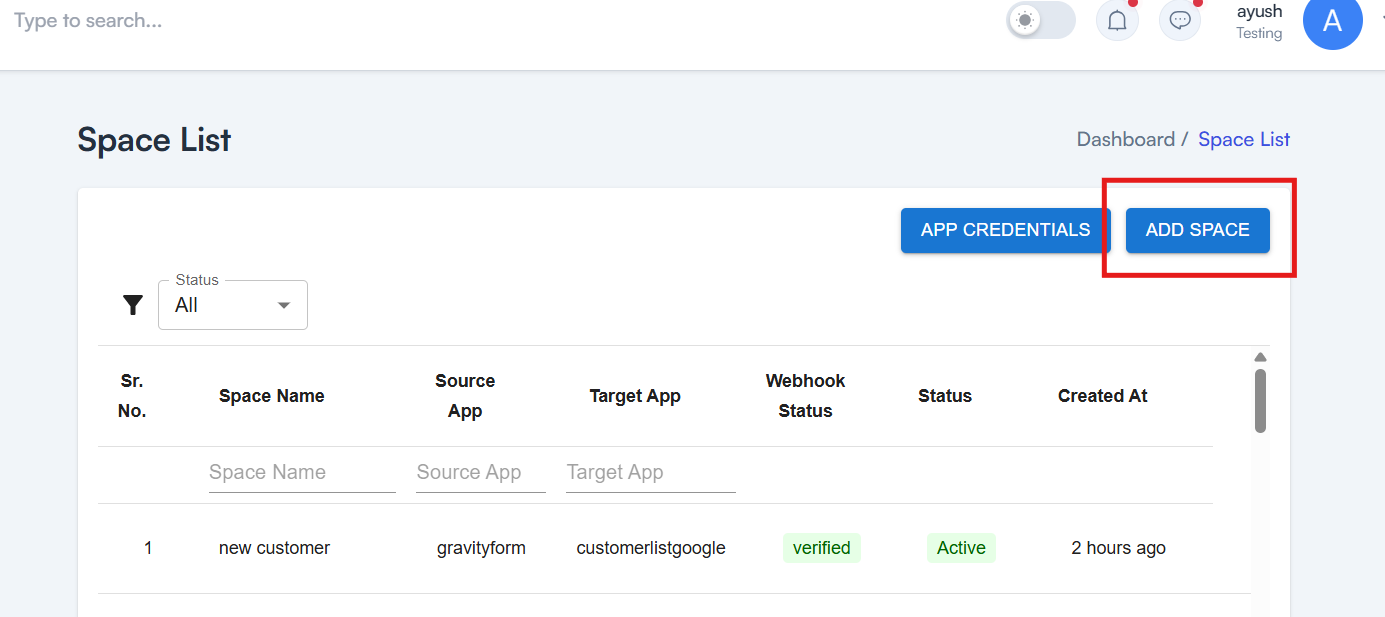
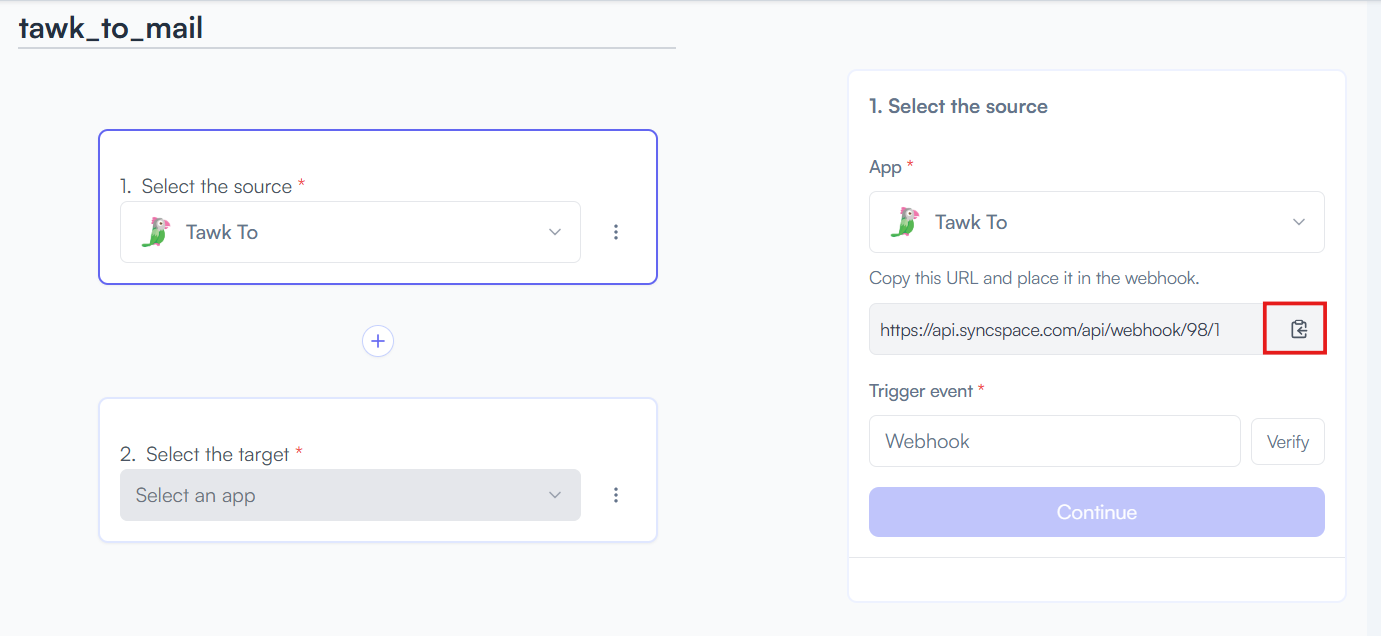

Triggers when you receive a new attachment.

Set up rules to specify when this Space can continue running.

Triggers when any new file is added (inside of any folder).
Triggers when you receive a new attachment.
Triggers when you add a new label.
Triggers when you label an email.
Triggers when a new email appears in the specified mailbox.
Triggers when you receive a new attachment.
Triggers when you add a new label.
Triggers when you label an email.
Triggers when a new email appears in the specified mailbox.
Triggers when you receive a new attachment.
Triggers when you add a new label.
Triggers when you label an email.
Triggers when a new email appears in the specified mailbox.