Send MyOperator Call Details To Google Customer list

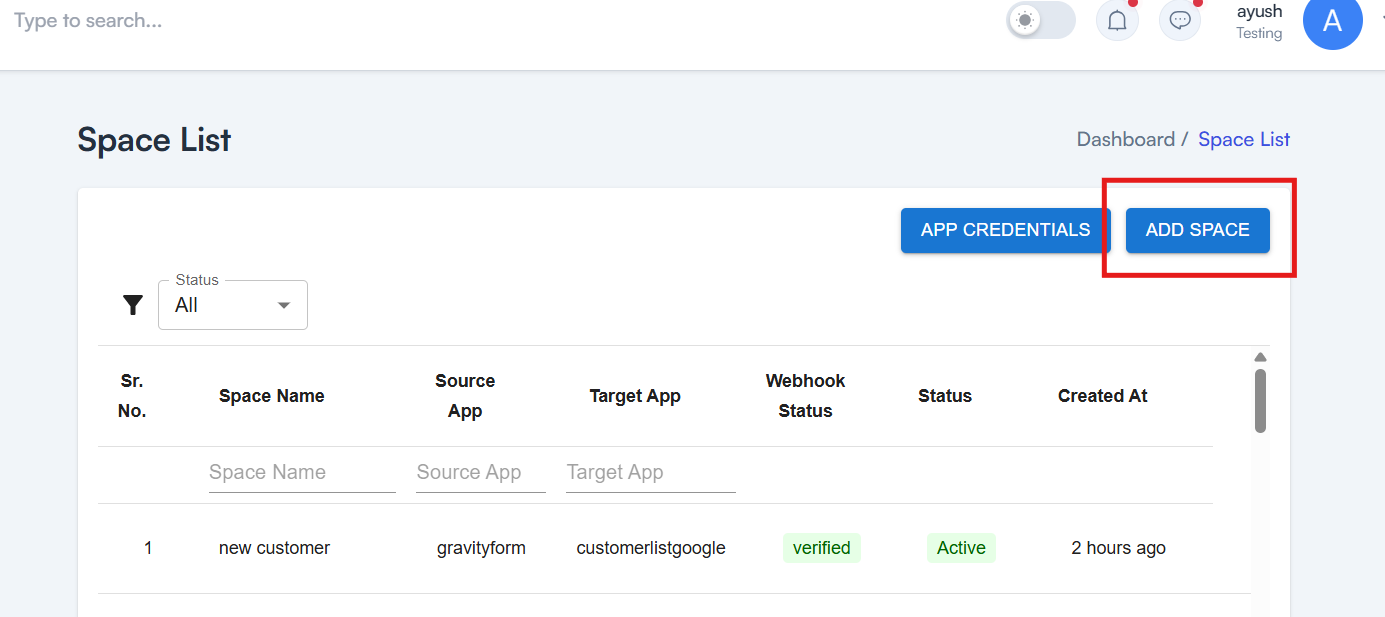
Step 1 Click on Add Space to create a new space
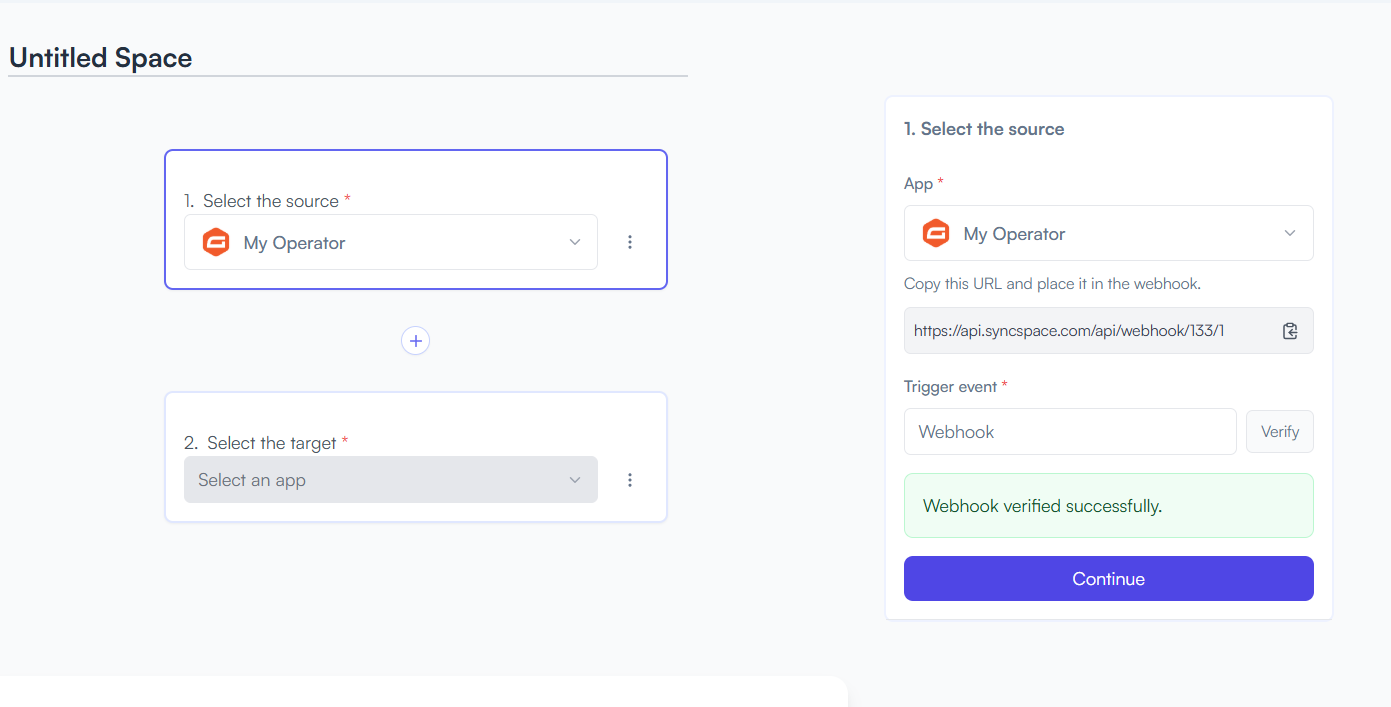
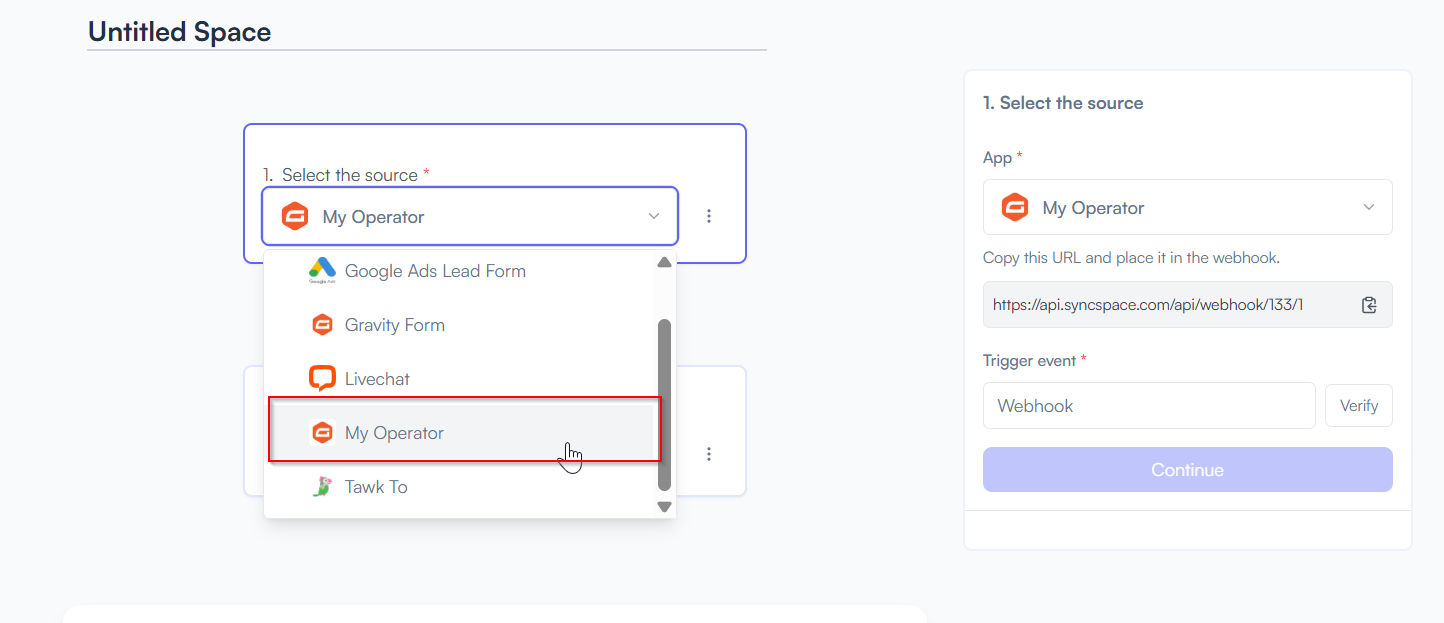
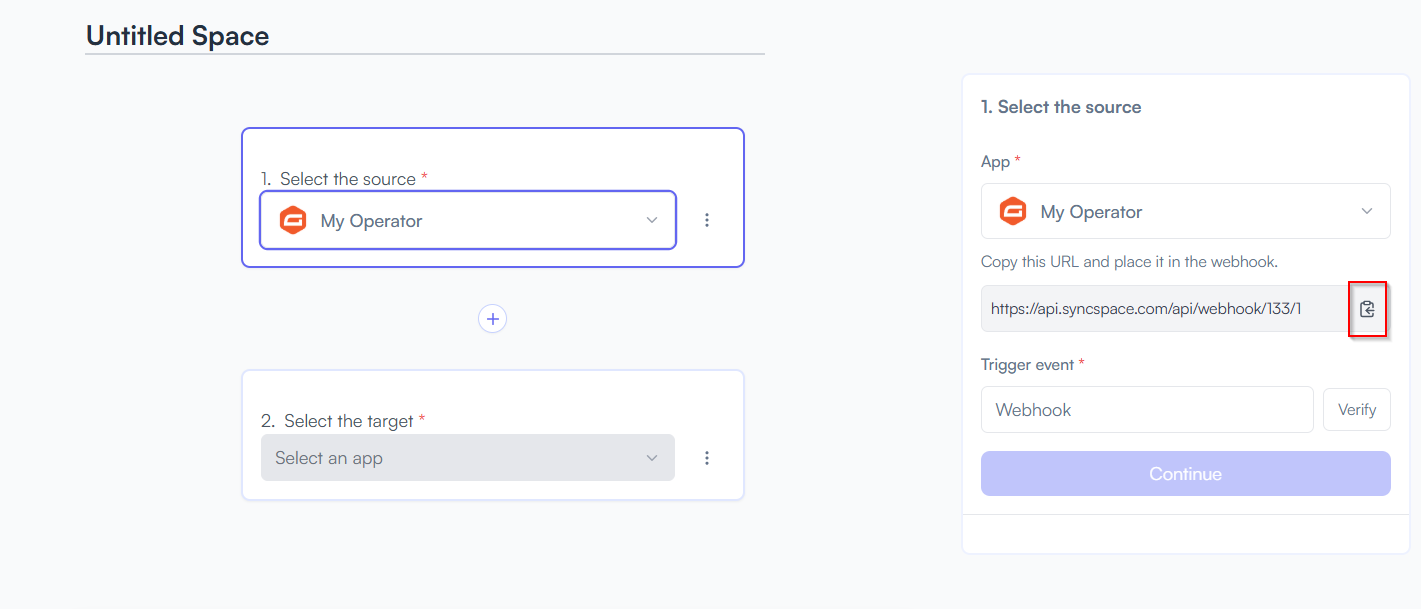
Step 2 Select your Source app from Dropdown
  • Choose MyOperator
Step 3 Copy the Webhook URL generated for My Operator
Step 4 Steps to Verify Webhook in MyOperator Account

Need help creating credentials? Click here for the guide.
If you’ve already done that, continue below to create the space.

Step 5 Go back to the integration platform and click Verify Webhook, then click Continue
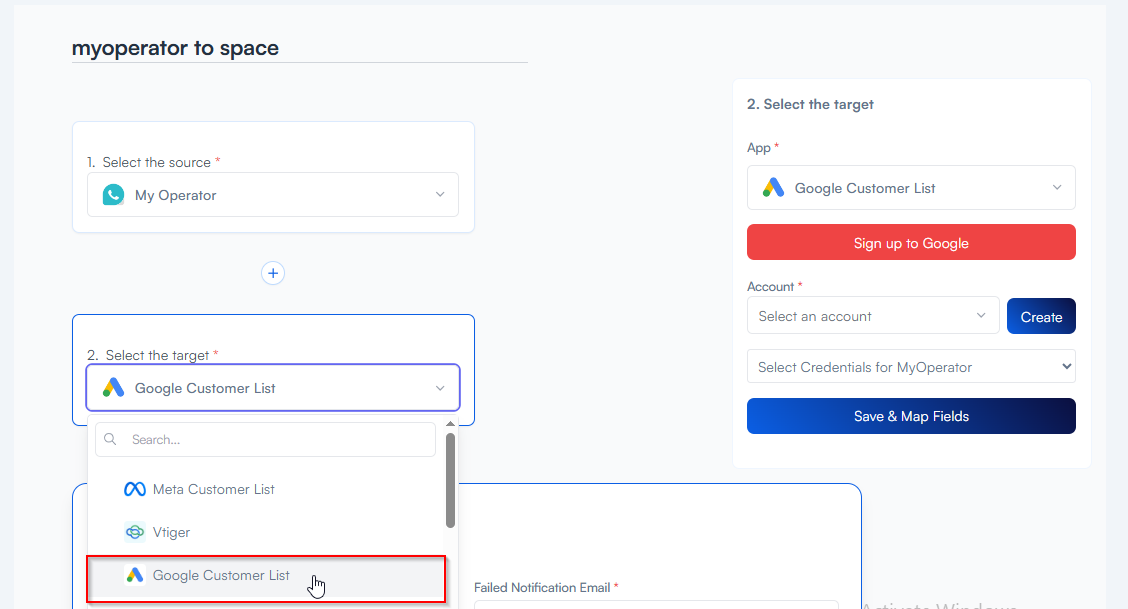
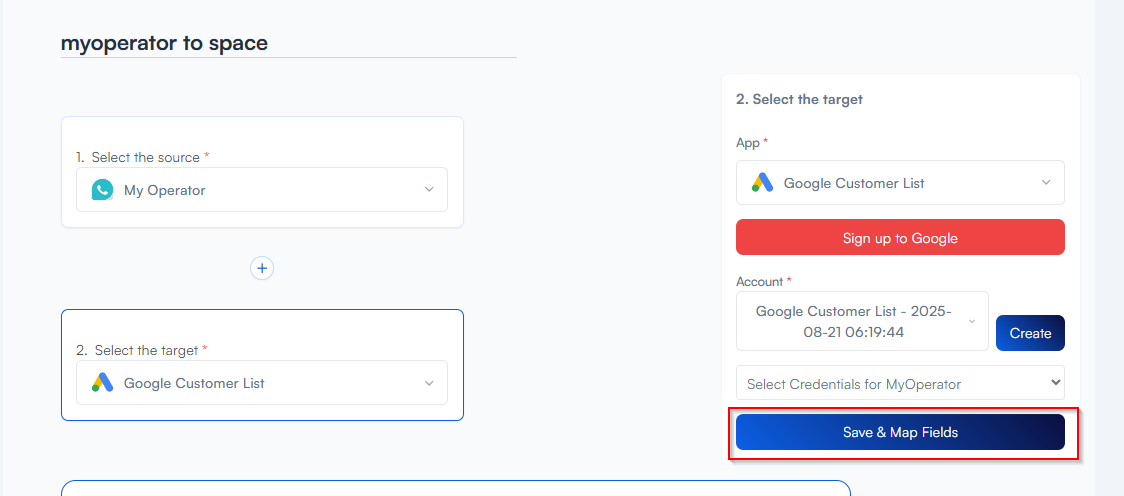
Step 6 Select your Target App from the dropdown
  • Choose Google Customer list

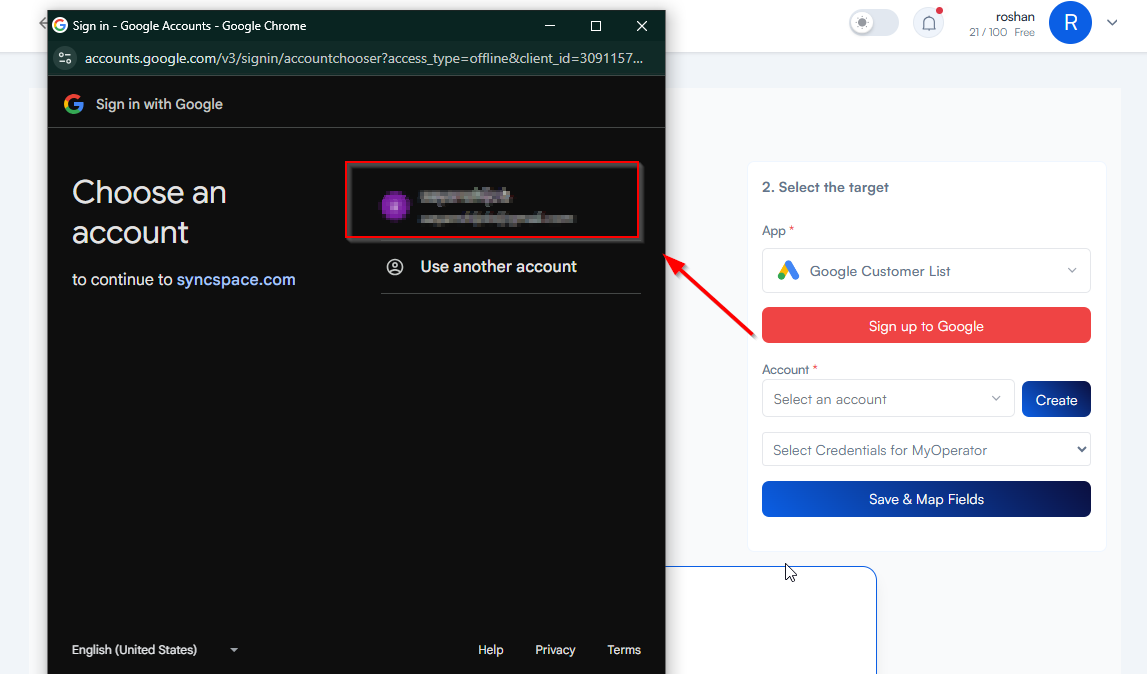
Step 7 Signup into your Google Account for the Google customer list account credentials
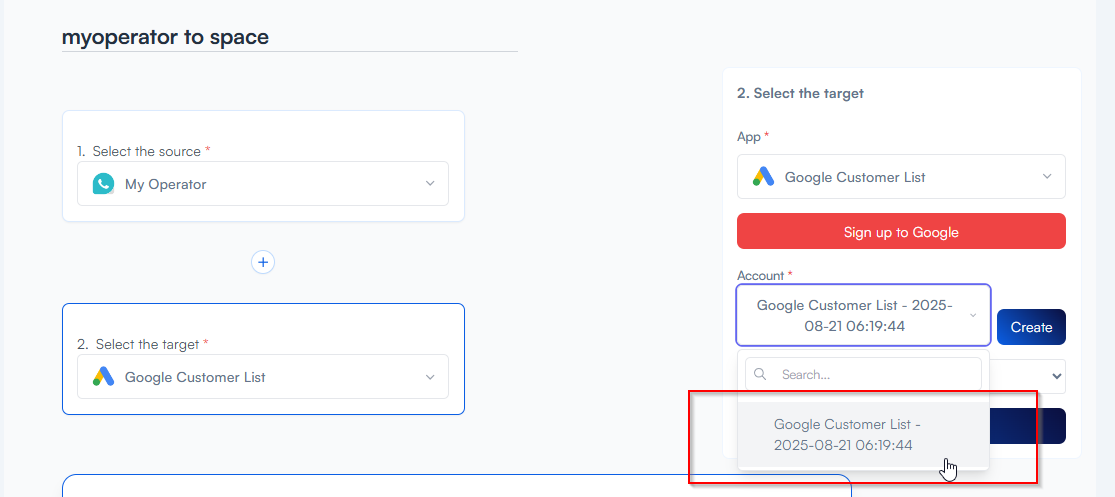
Step 8 Select the Google customer list account you created earlier while signing up your app credentials.
Step 9 Click on the "Save and Map Fields" button.
Step 10 Match your WooCommerce fields to the Google Customer list

Example: Name → Full Name, Email → Email Address

Step 11 Choose how you want to save your space

You will see two buttons: Save as Draft and Save and Activate.

  • Click Save and Activate, your space will be saved and activated automatically.

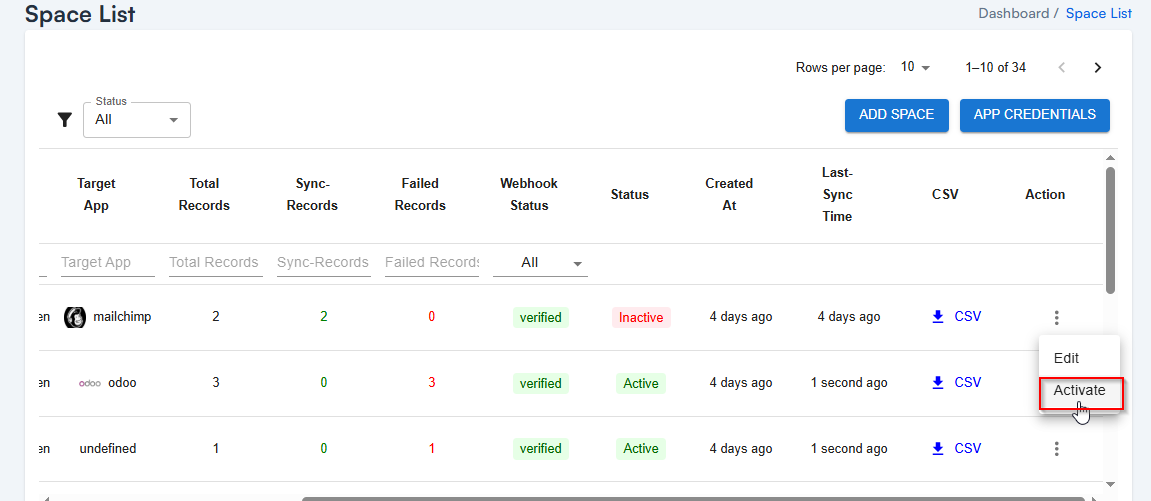
  • Click Save as Draft, This will save your space, but it won’t be active. You can activate it later by following the next steps.

Step 12 From the Action Column, click to Activate Your Space
Gmail

New Attachment

Triggers when you receive a new attachment.

sheet

Only continue if...

Set up rules to specify when this Space can continue running.

Google Drive

Upload File

Triggers when any new file is added (inside of any folder).

Supported triggers and actions

Gmail

Triggers Attachment

Triggers when you receive a new attachment.
Gmail

New Label

Triggers when you add a new label.

Gmail

New Labeled Email

Triggers when you label an email.

Gmail

New Email

Triggers when a new email appears in the specified mailbox.

Gmail

Actions Attachment

Triggers when you receive a new attachment.
Gmail

New Label

Triggers when you add a new label.

Gmail

New Labeled Email

Triggers when you label an email.

Gmail

New Email

Triggers when a new email appears in the specified mailbox.

Gmail

New Attachment

Triggers when you receive a new attachment.
Gmail

New Label

Triggers when you add a new label.

Gmail

New Labeled Email

Triggers when you label an email.

Gmail

New Email

Triggers when a new email appears in the specified mailbox.

Your Integration Is Missing? Not for Long.

Tell us what you need — SyncSpace will sync it for you.
*No credit card Required