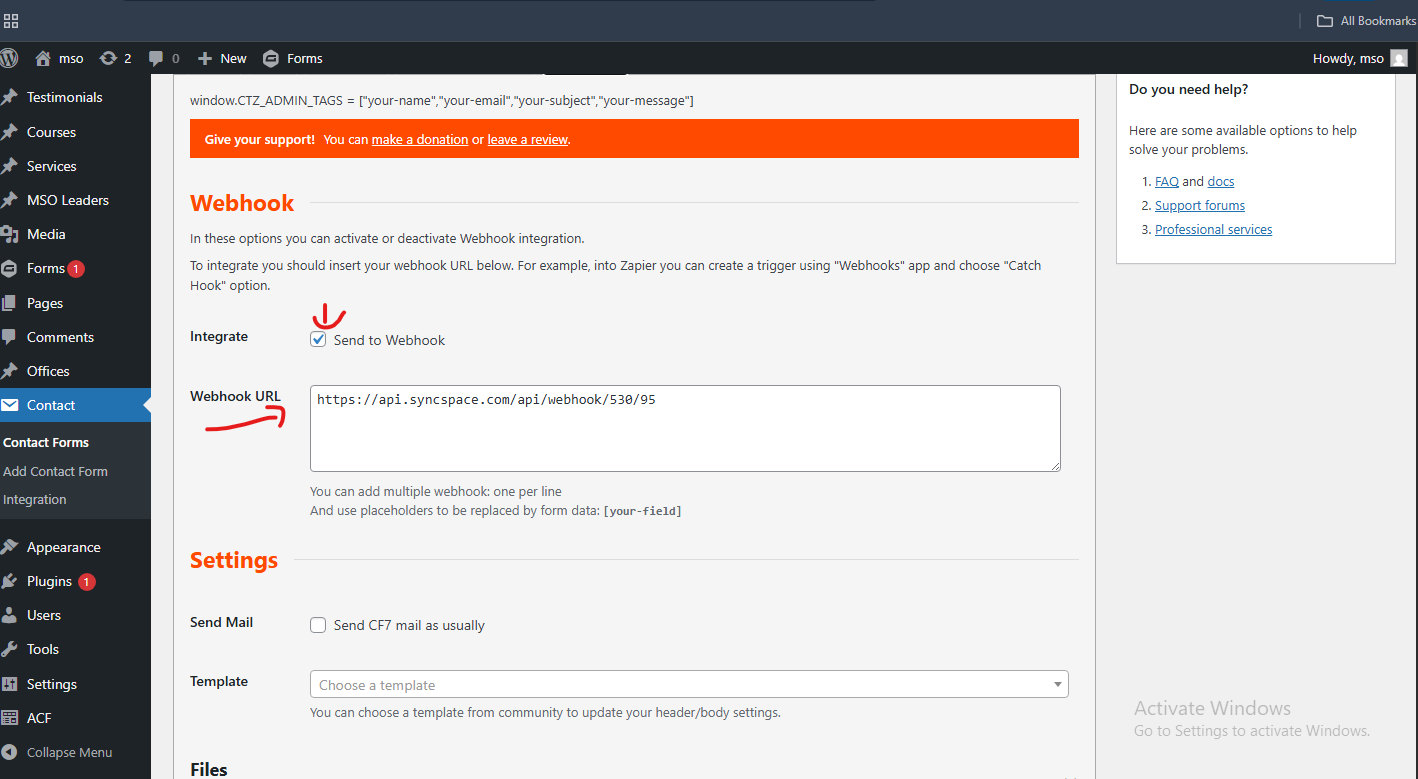
Steps to Verify a Webhook in Contact Form 7
Step 1 Go to the WordPress dashboard of your website.
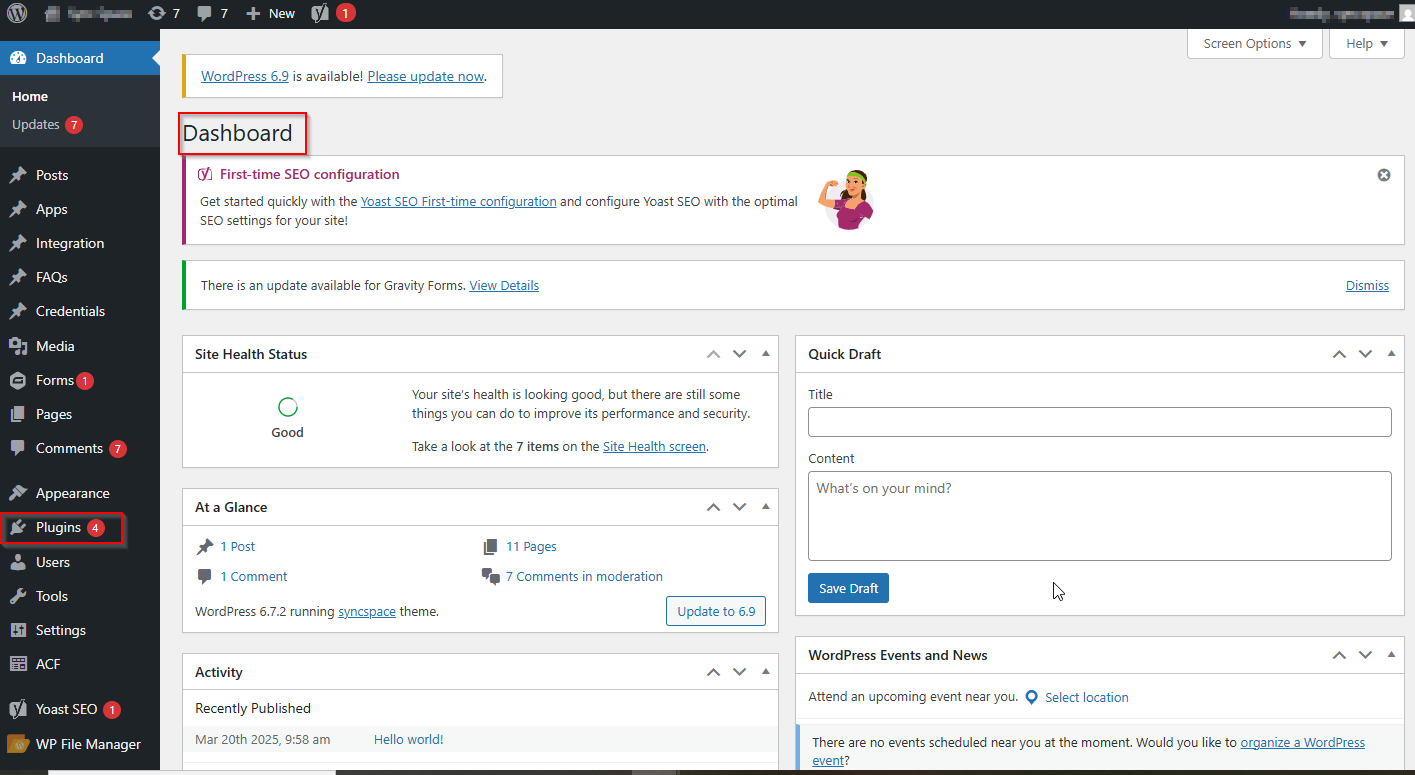
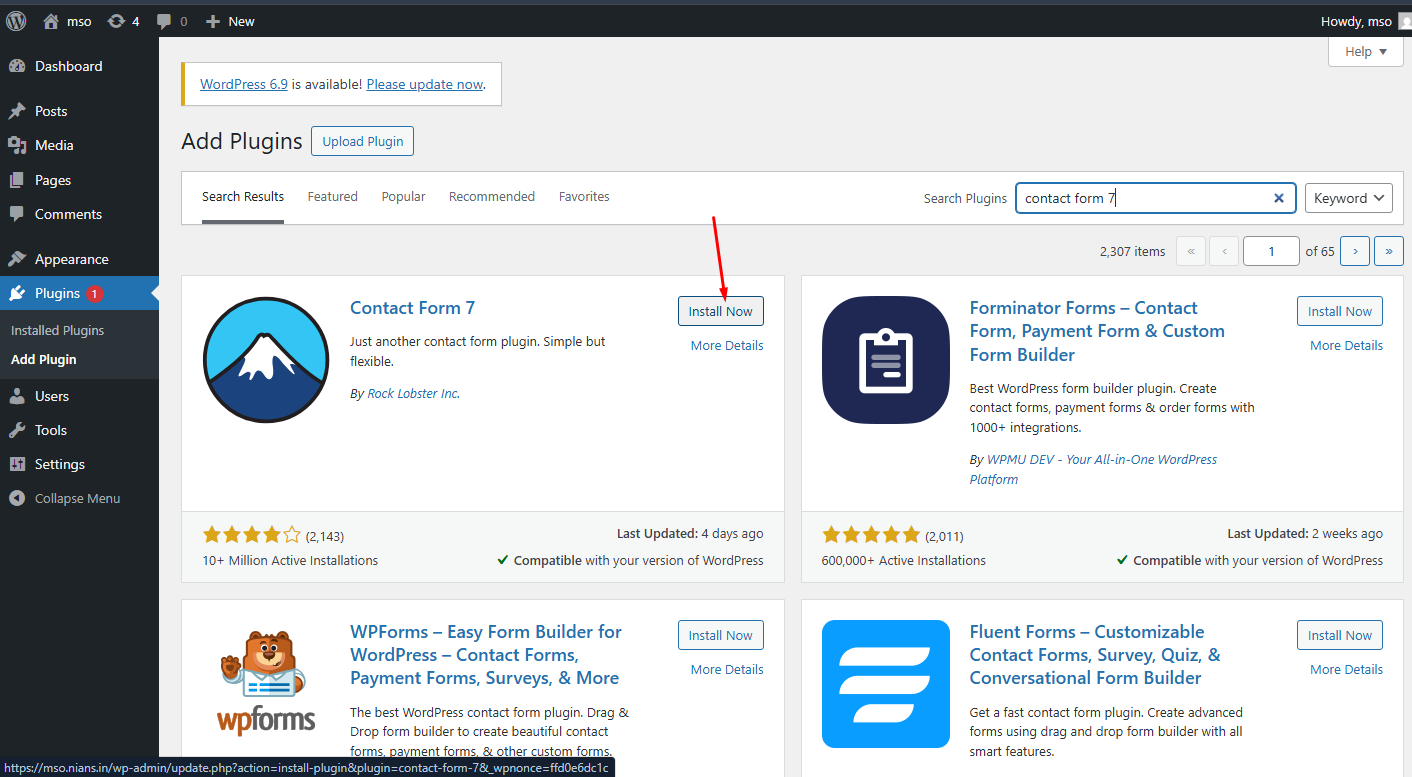
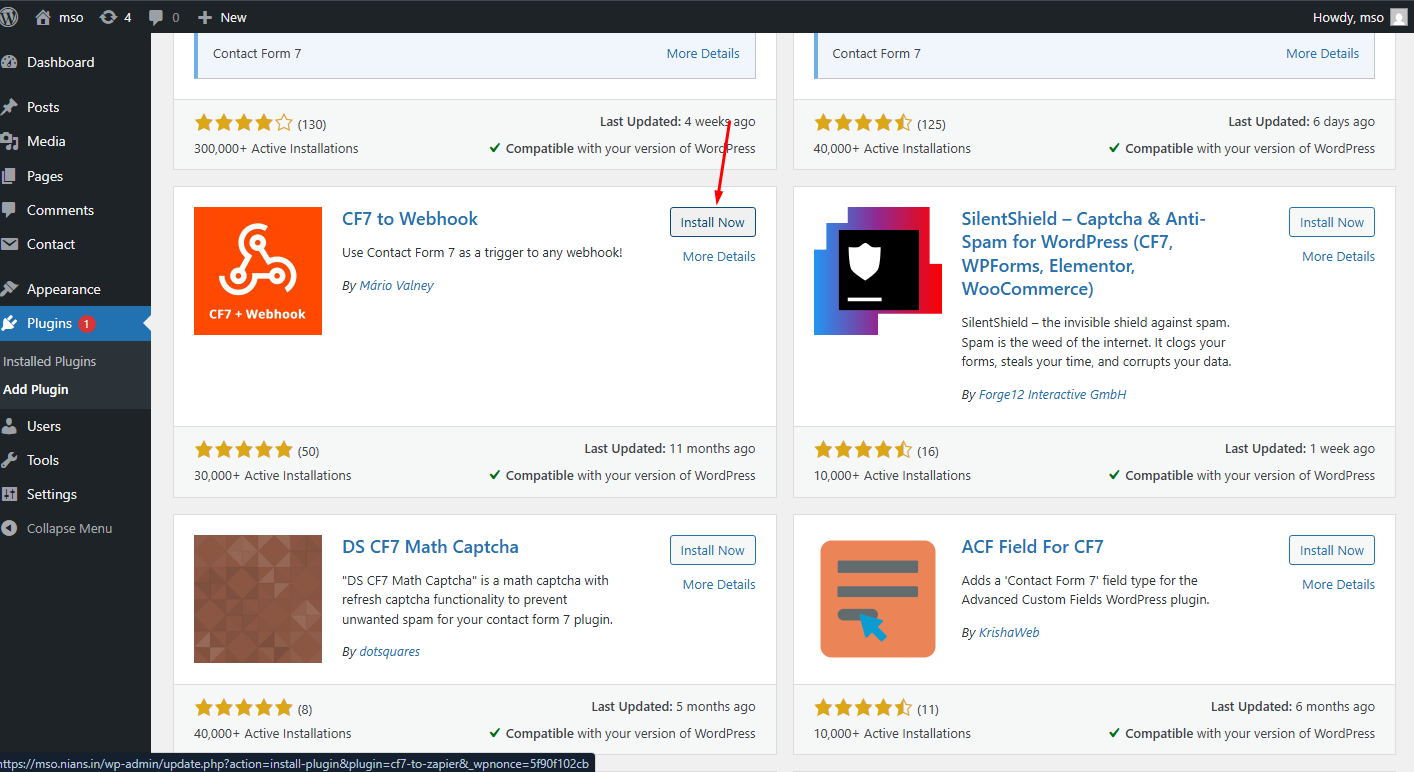
Step 2 Install and activate the Contact Form 7 and CF7 to Webhook plugins.
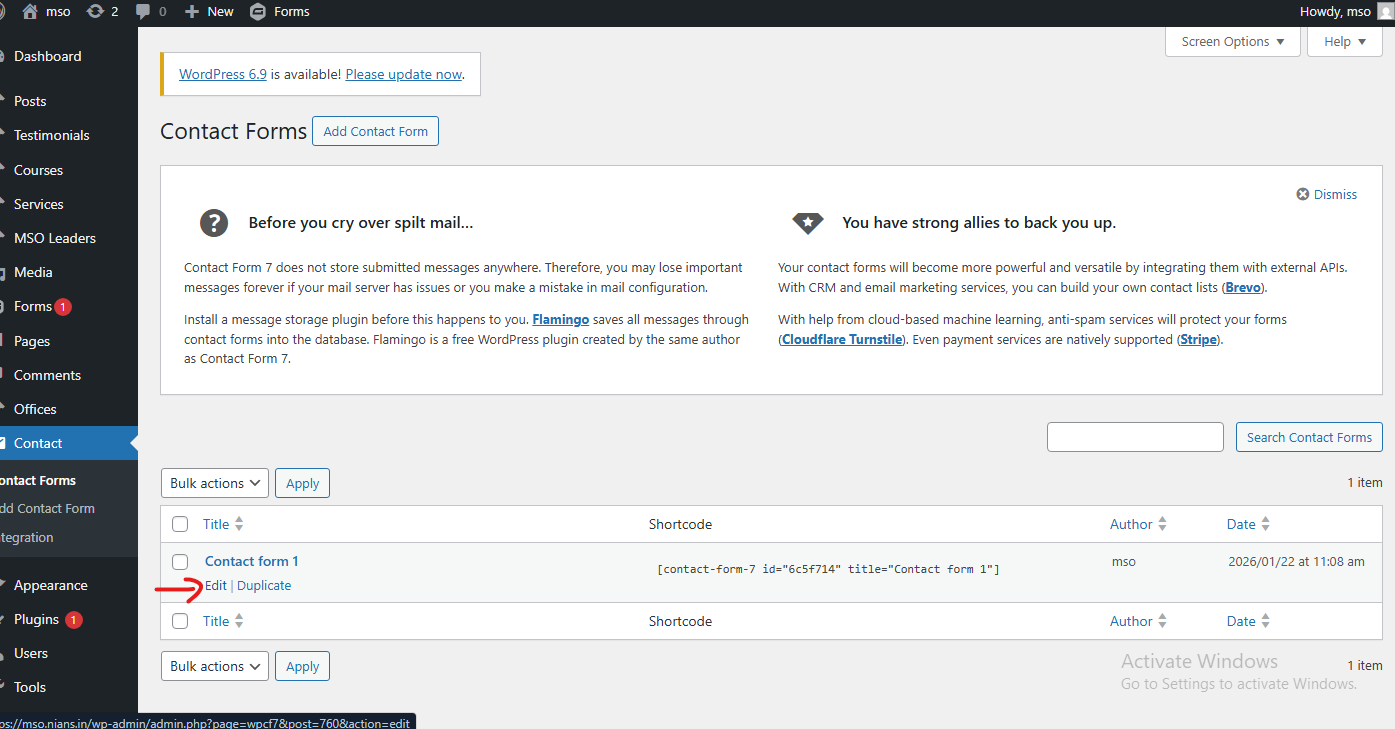
Step 3 Open the Contact Form you have already created.
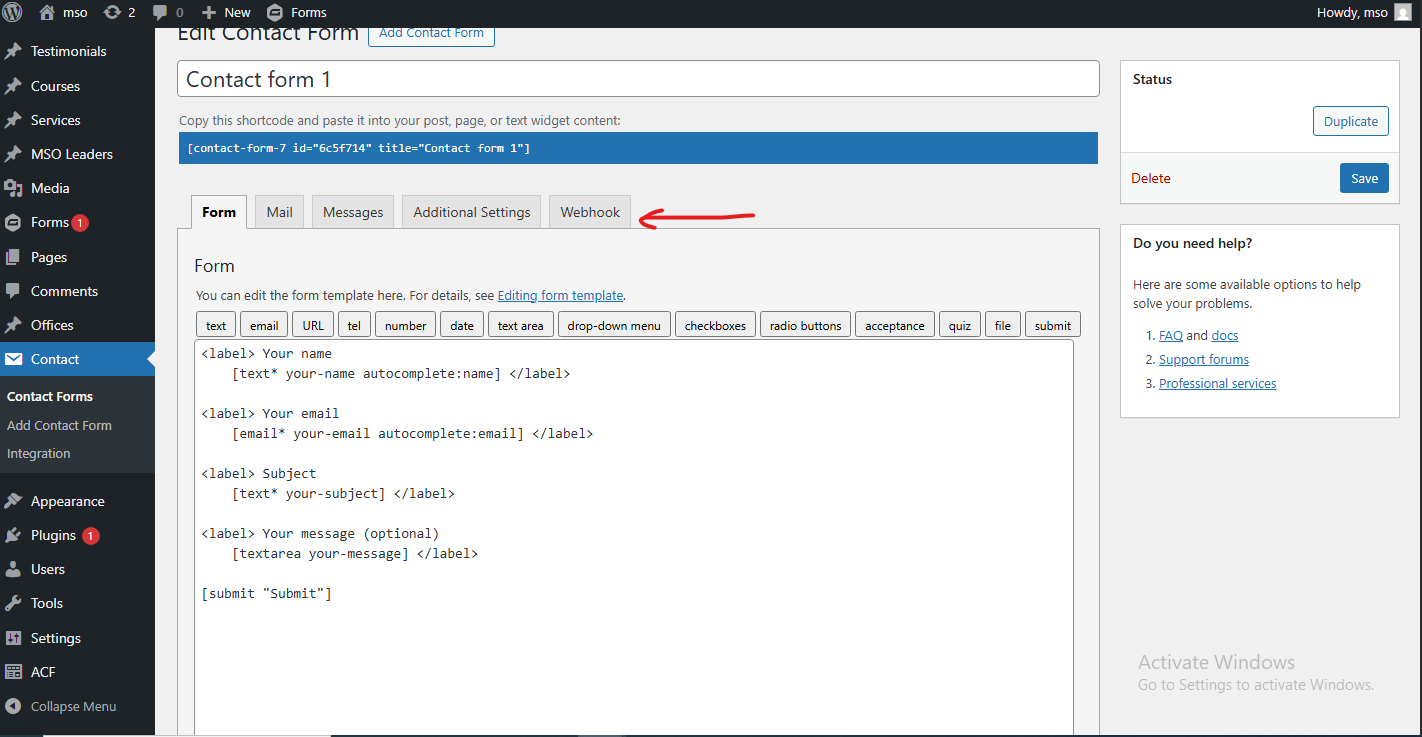
Step 4 Click on the Webhook tab.
Step 5 Paste your Webhook URL and enable Send to Webhook.
Finally, click Save to apply the changes.