Steps to Verify Webhook URL in Gravity Forms
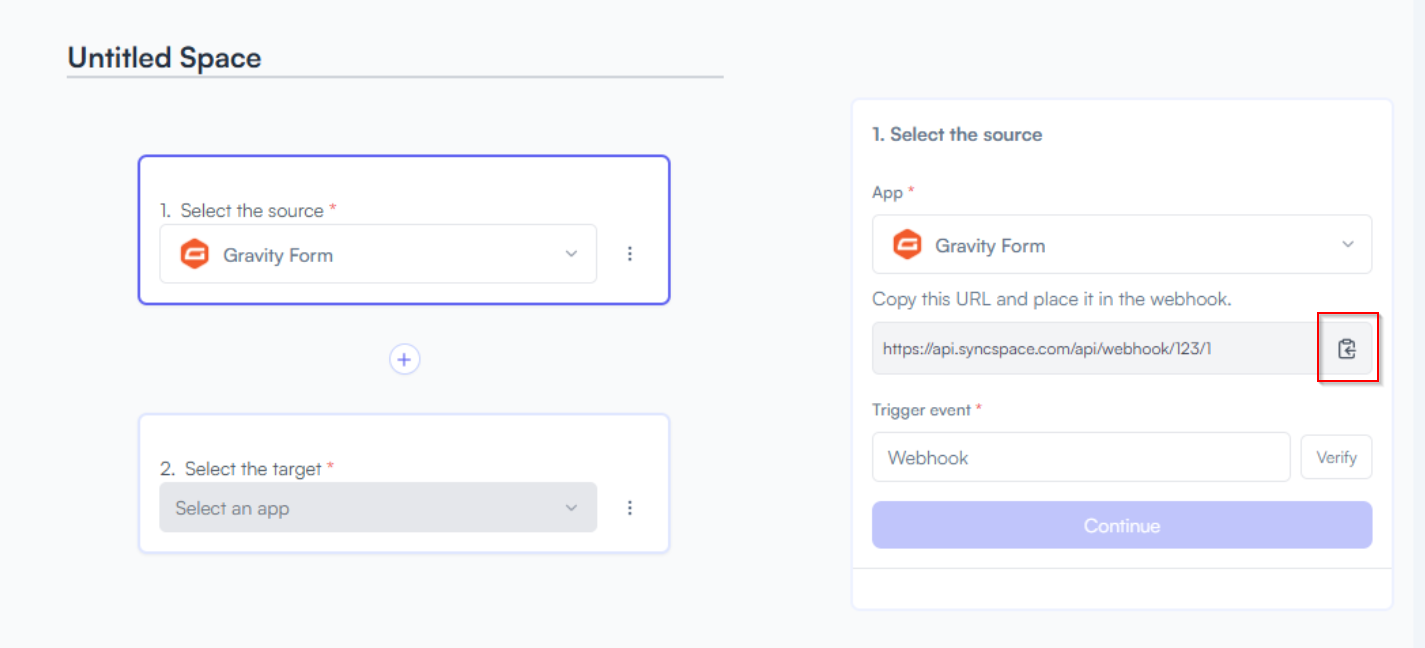
Step 1 Copy the Webhook URL generated for Gravity Form
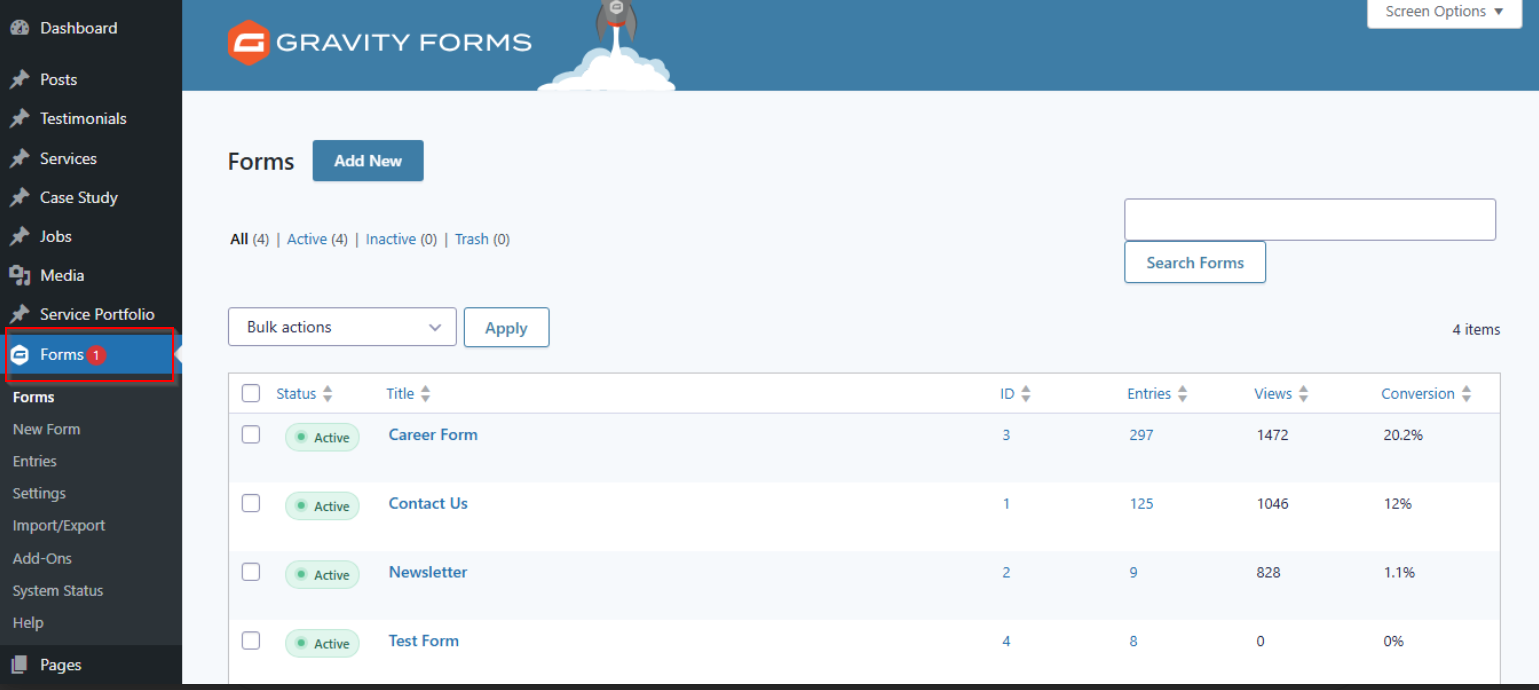
Step 2 Log in to your WordPress dashboard where Gravity Forms is installed.
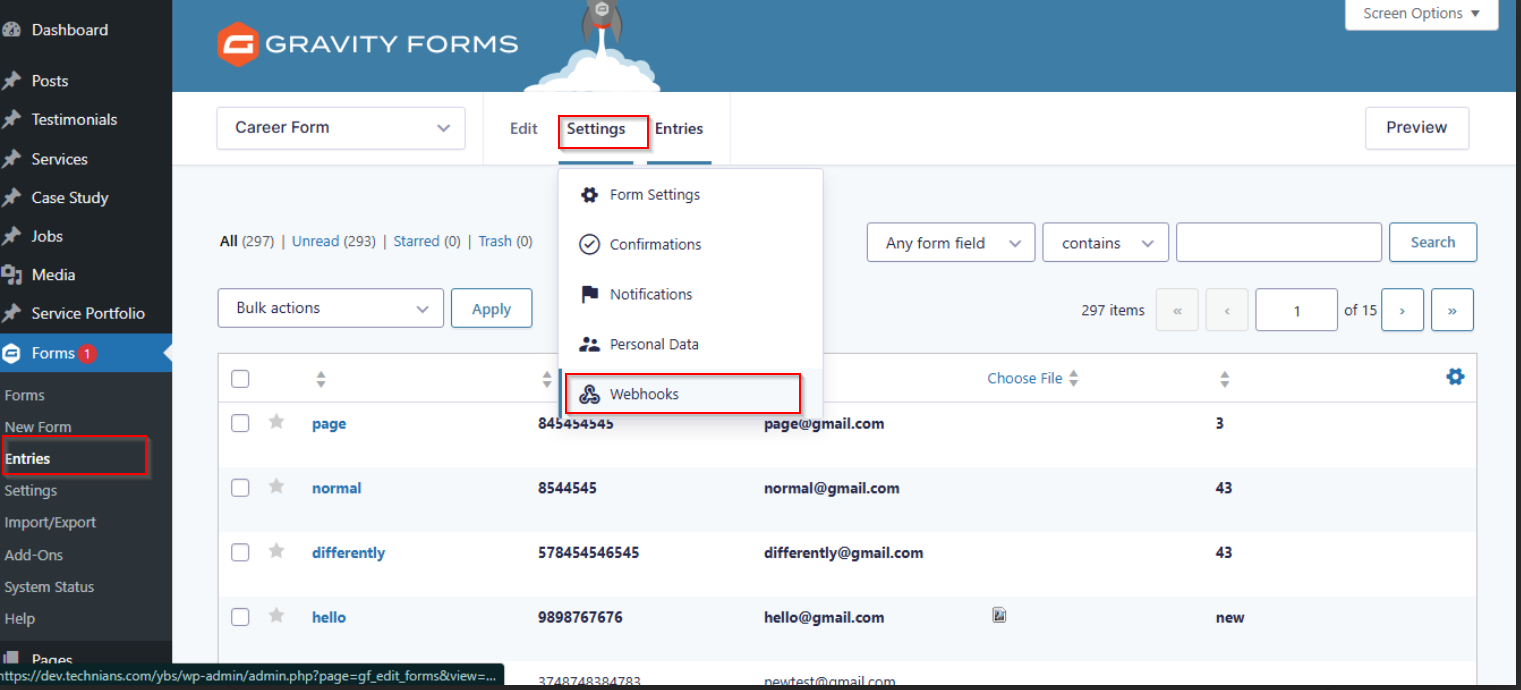
Step 3 In the sidebar menu, Under the Forms section, click on Entries.
- Once the Entries page loads, Hover on the Settings tab at the top.
- From the Settings dropdown, select Webhooks
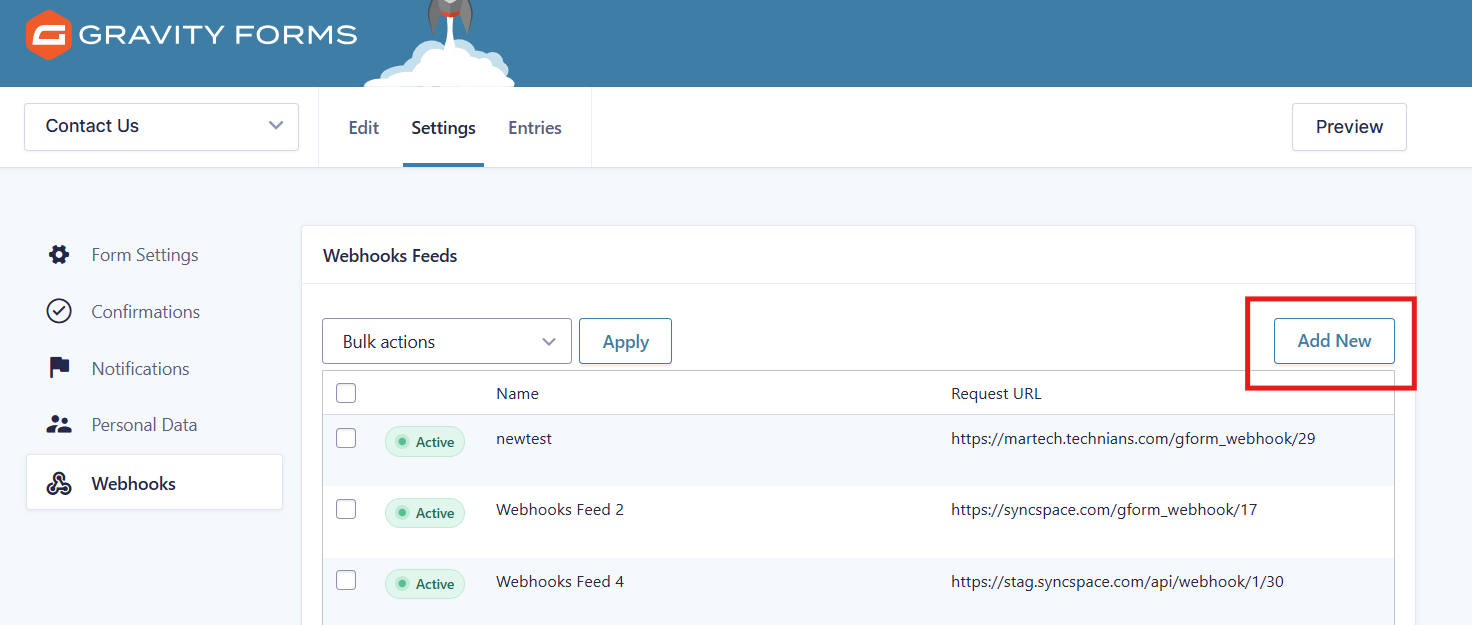
Step 4 Click on" Add New" Webhook.
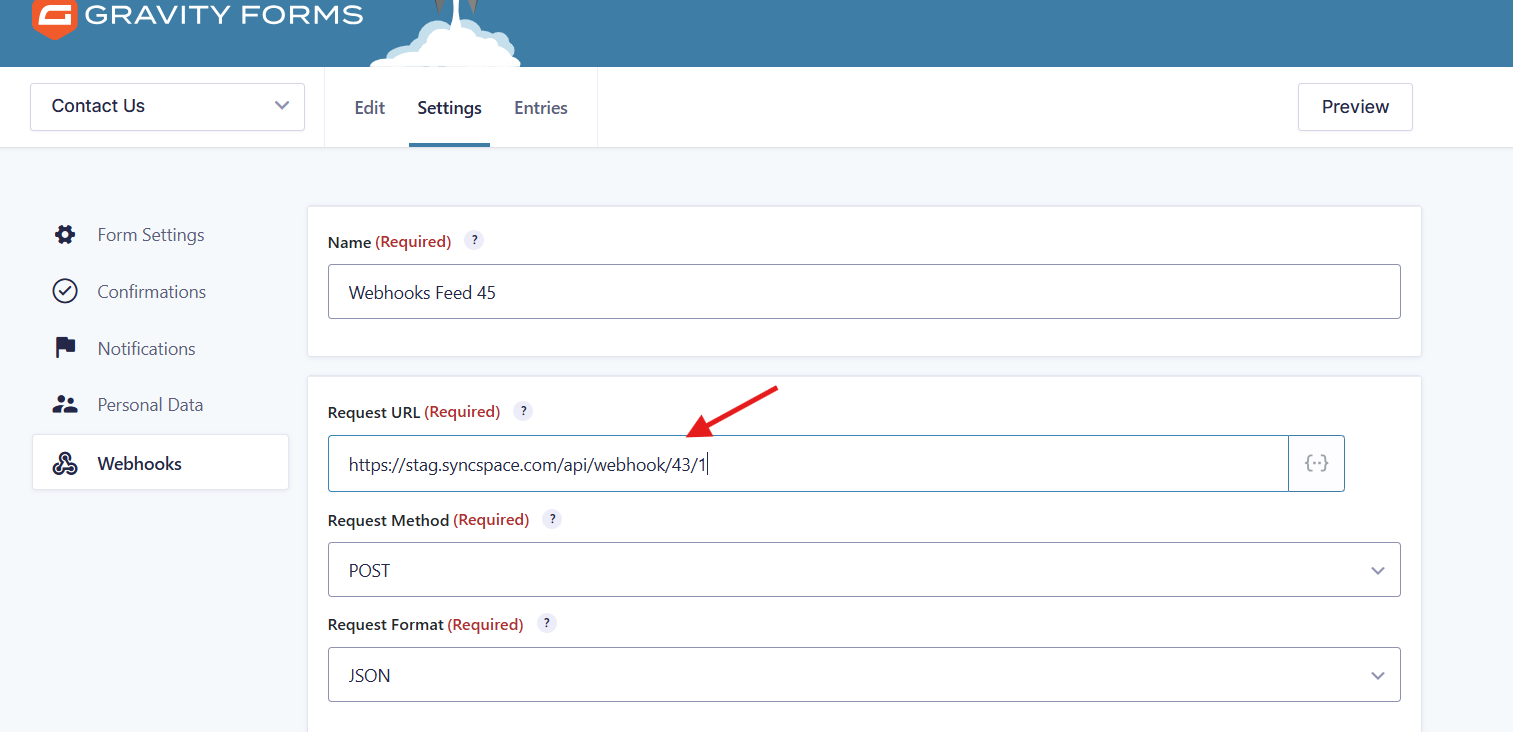
Step 5 Paste your webhook URL into the Request URL field.
Click on Save Webhook to store the configuration.
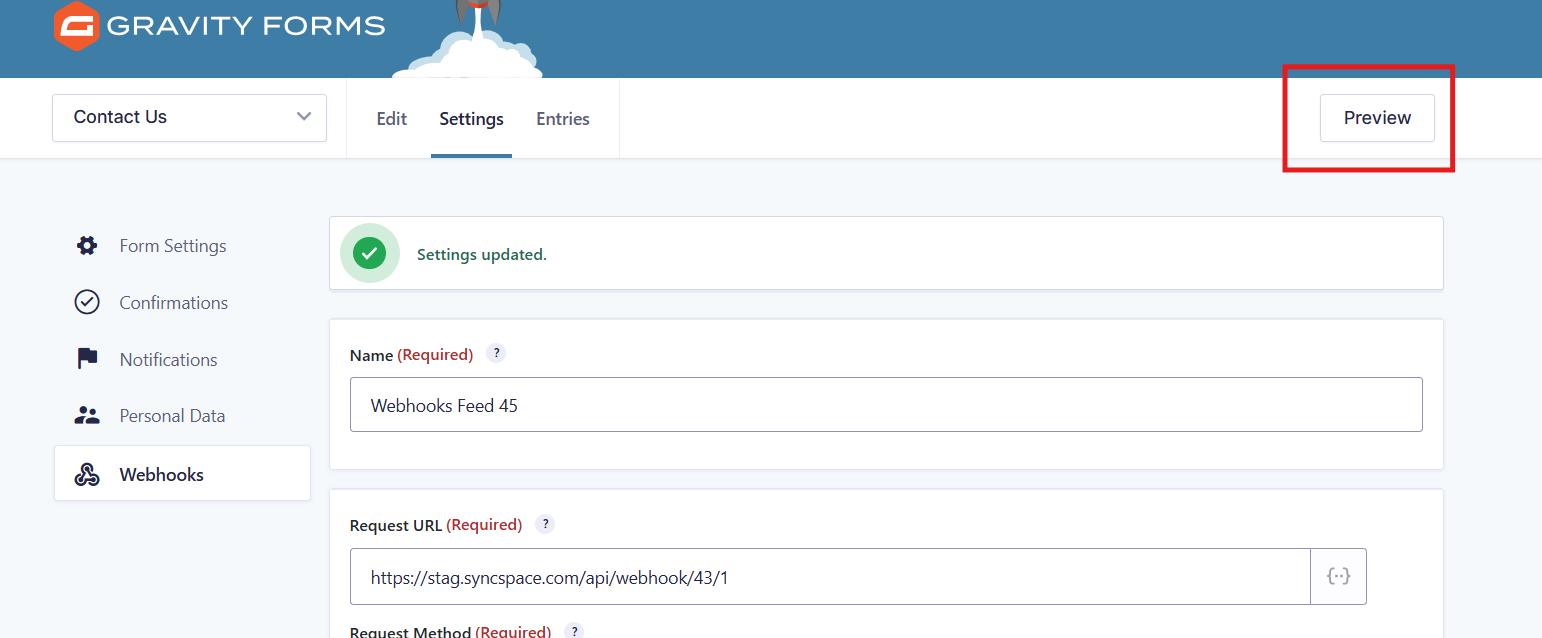
Step 6 Now, click on Preview to open and fill out the Gravity Form.
 Important: Submitting a test entry is mandatory to verify that the webhook is working correctly.
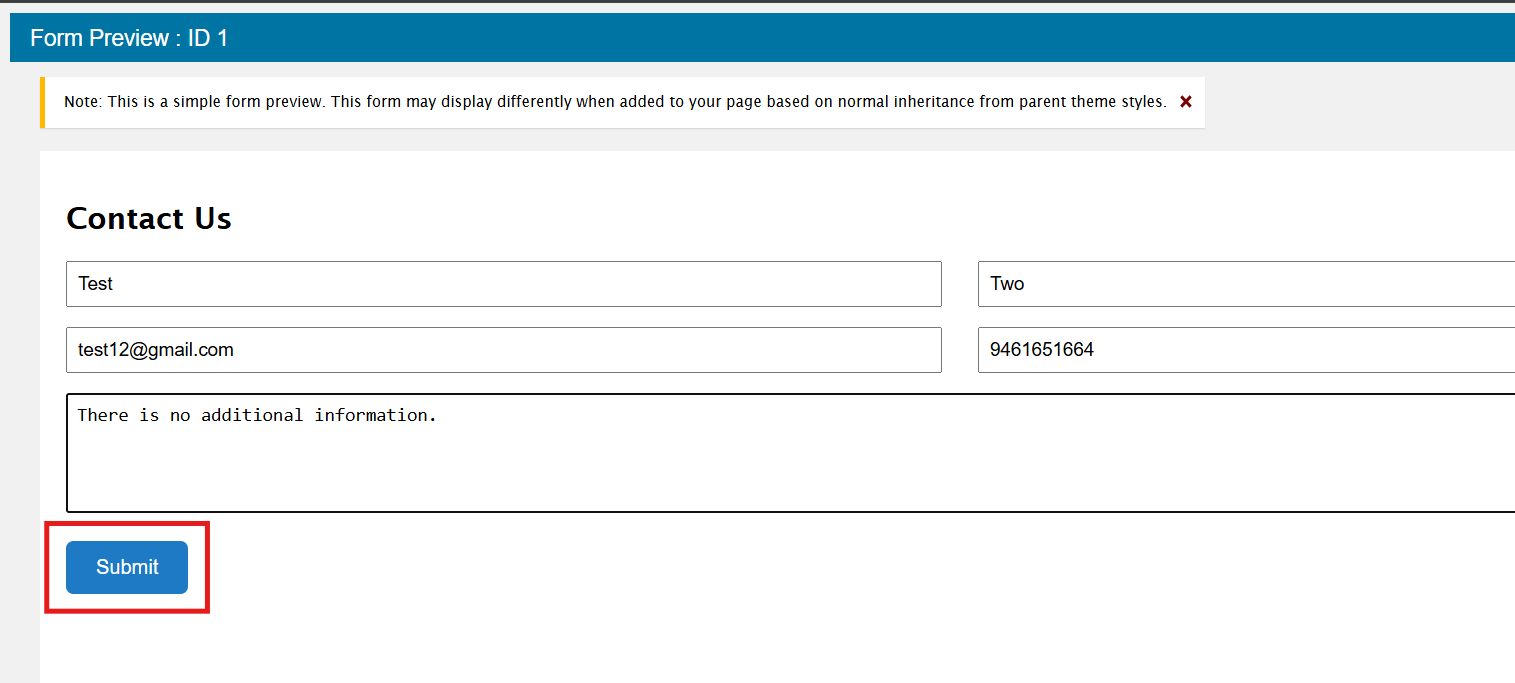
Step 7 Submit a test entry and verify the webhook connection.
Submit the form
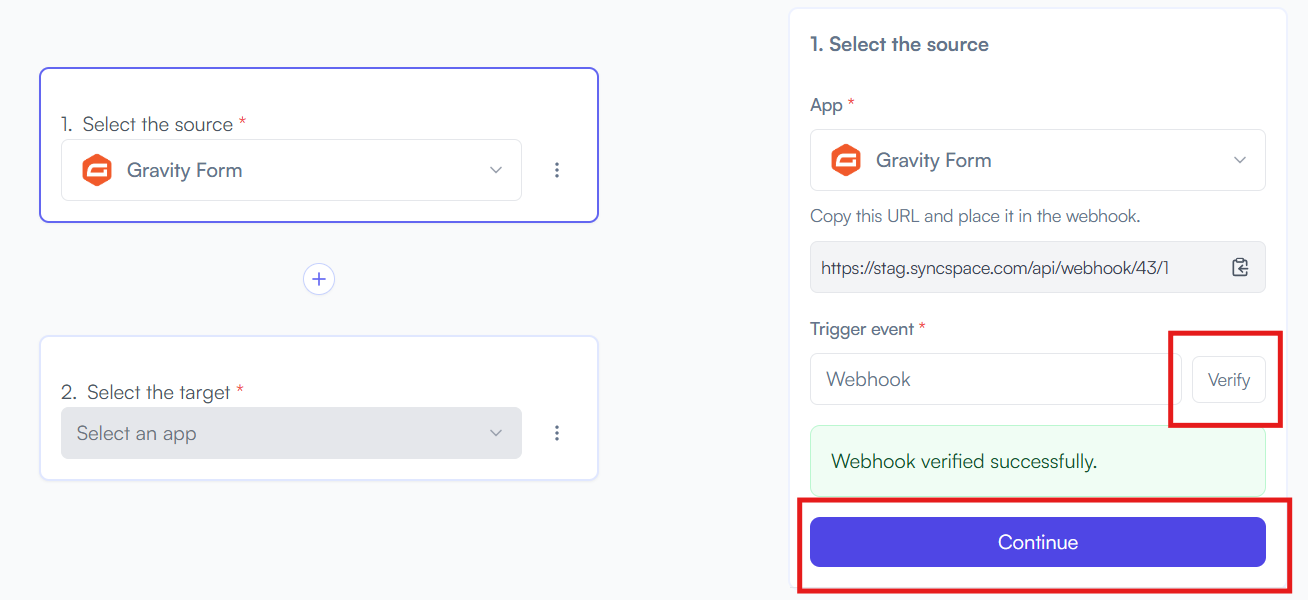
Step 8 Go Back to your Space ,Verify the webhook URL and then click on continue
Copy the Webhook URL generated for Gravity Form
Log in to your WordPress dashboard where Gravity Forms is installed.
In the sidebar menu, Under the Forms section, click on Entries.
Click on" Add New" Webhook.
Paste your webhook URL into the Request URL field.
Now, click on Preview to open and fill out the Gravity Form.
Submit a test entry and verify the webhook connection.
Go Back to your Space ,Verify the webhook URL and then click on continue