Steps to Verify a Webhook in WooCommerce
Step 1 Open your WordPress Dashboard Make sure your WooCommerce plugin is installed and activated.
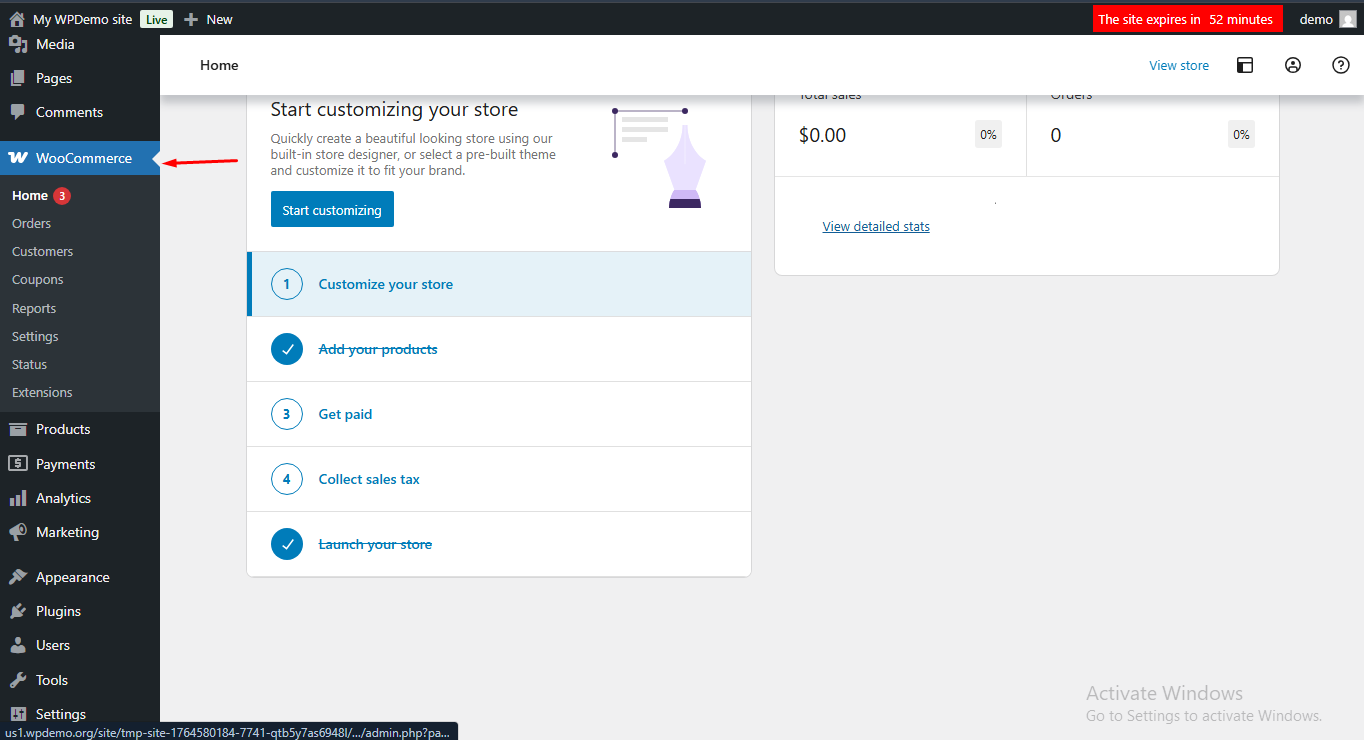
Click on the “WooCommerce” option in the left sidebar
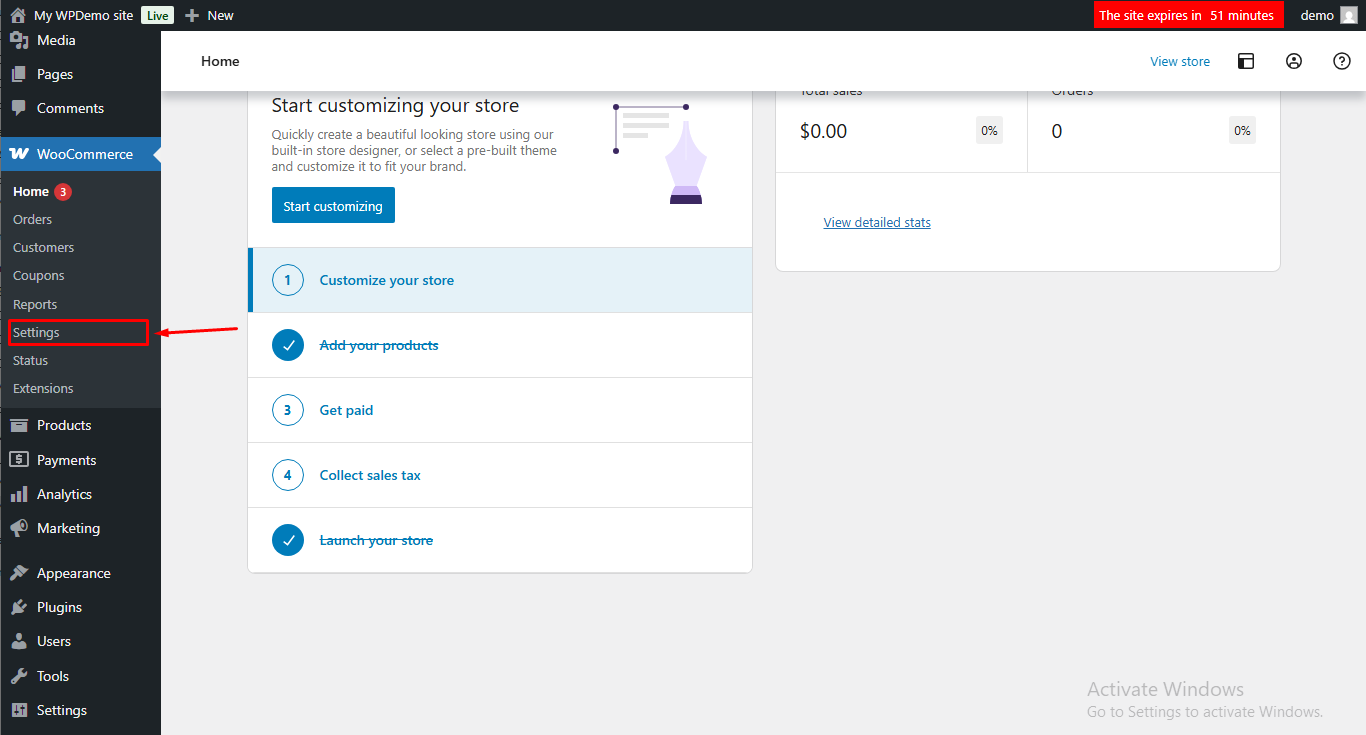
Step 2 Click Settings to open all configuration options.
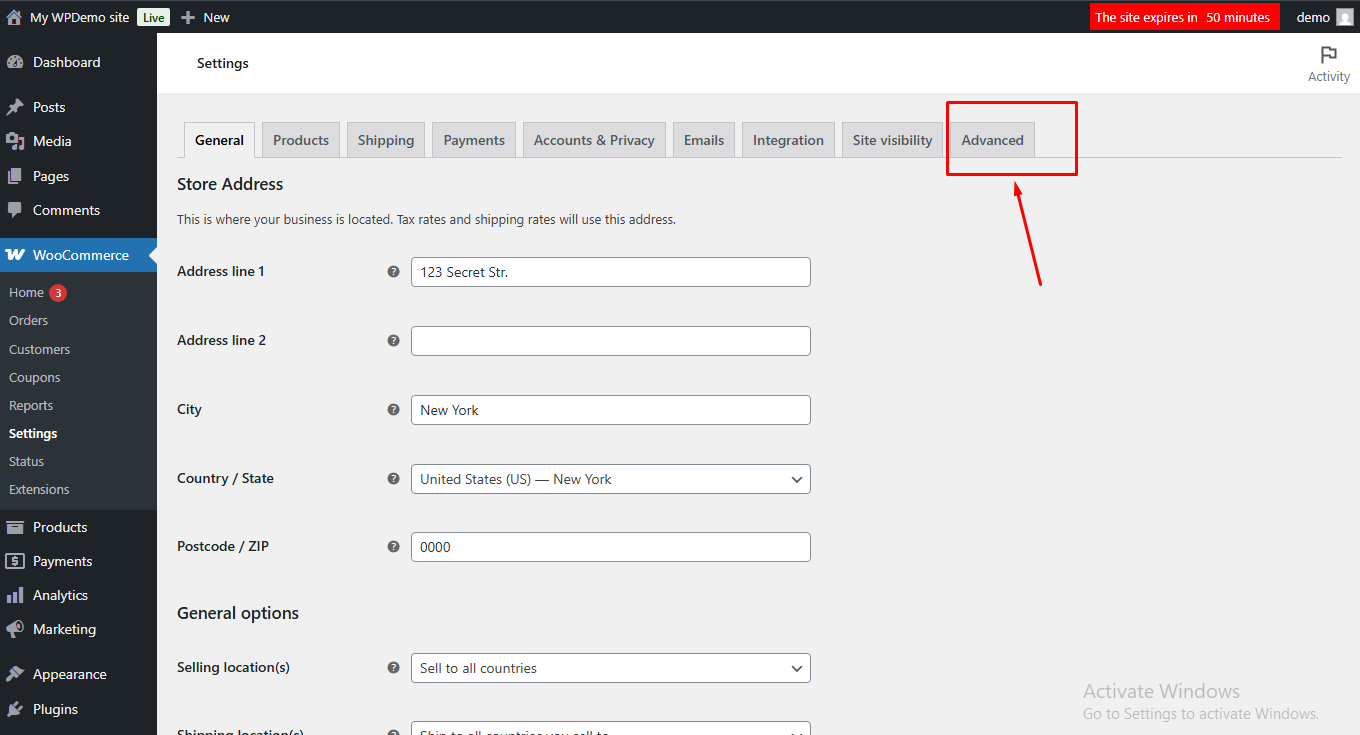
Step 3 Open the “Advanced” tab You’ll find it on the top tabs inside WooCommerce Settings.
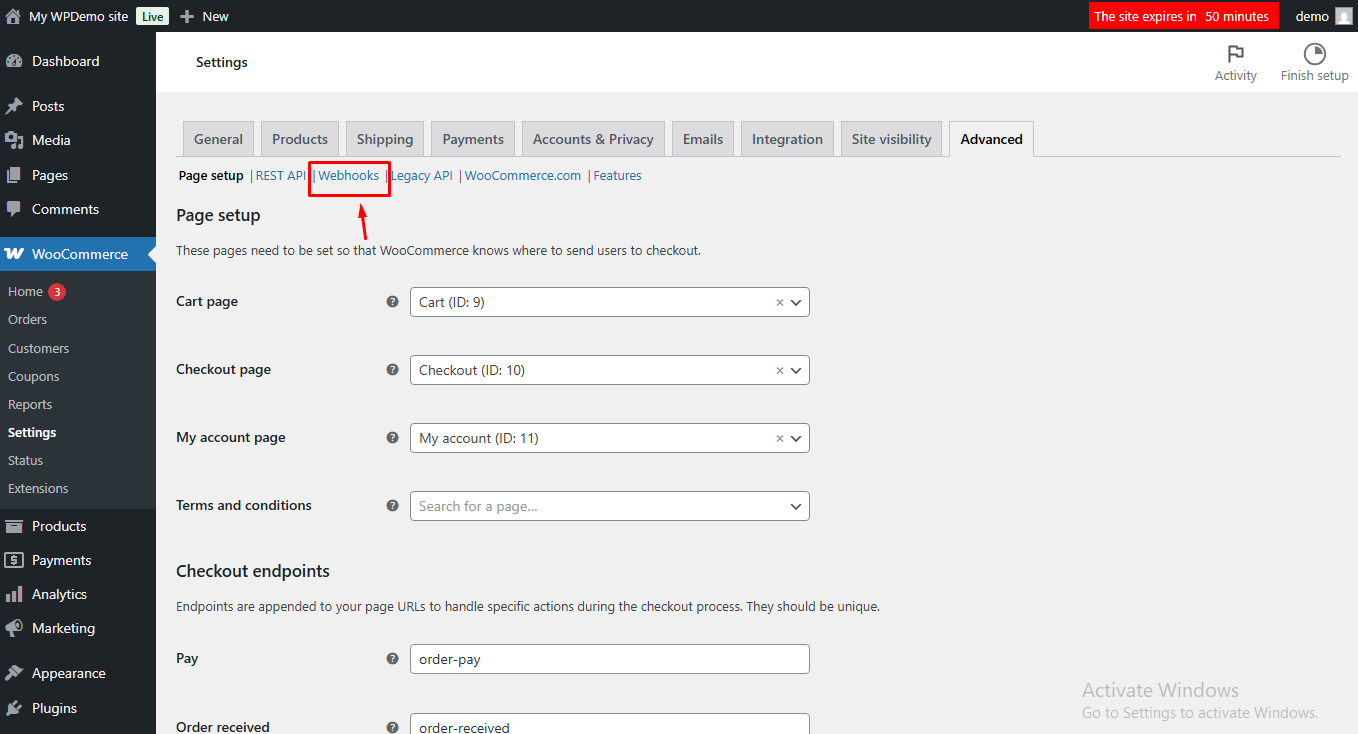
Step 4 Click on “Webhooks” from the bottom left-side menu
Step 5 Click on “Create Webhook” button.
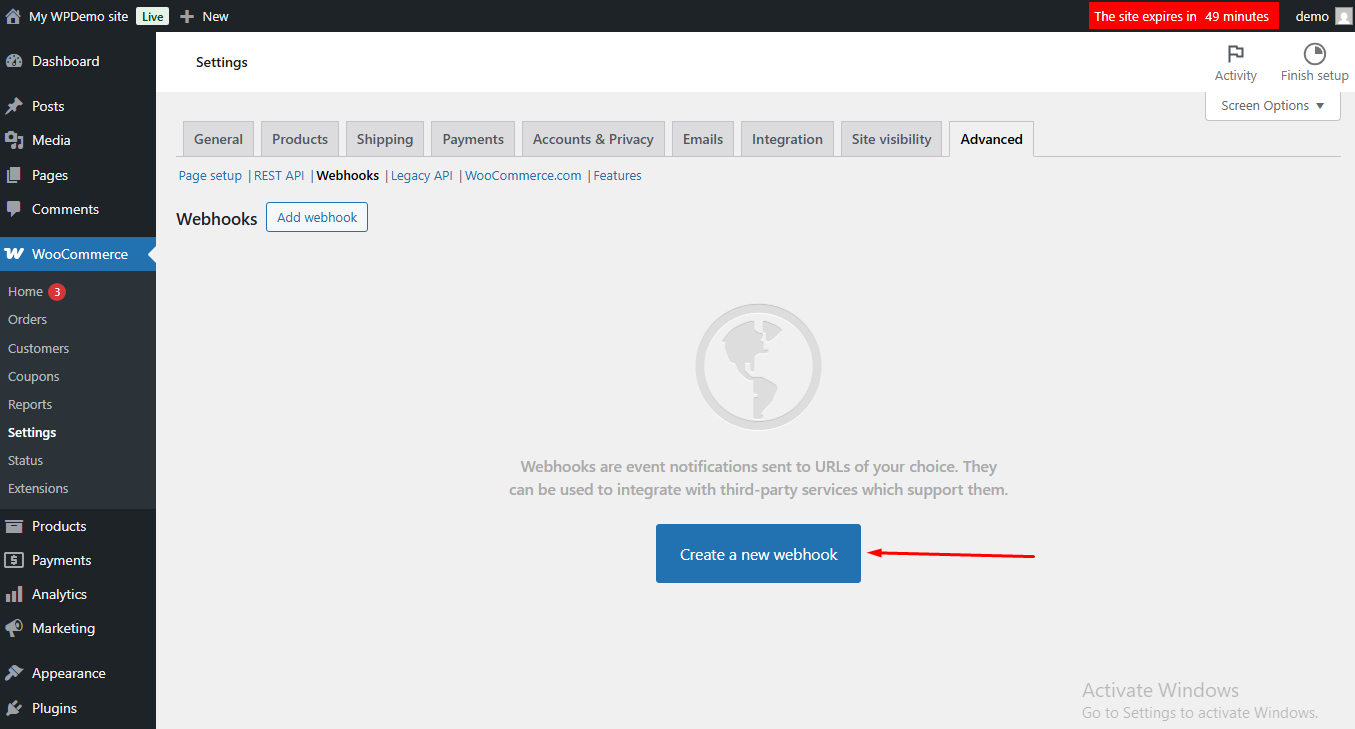
Step 6 Fill all required details like enter the Webhook Name, select the Topic, and paste your Webhook Delivery URL.
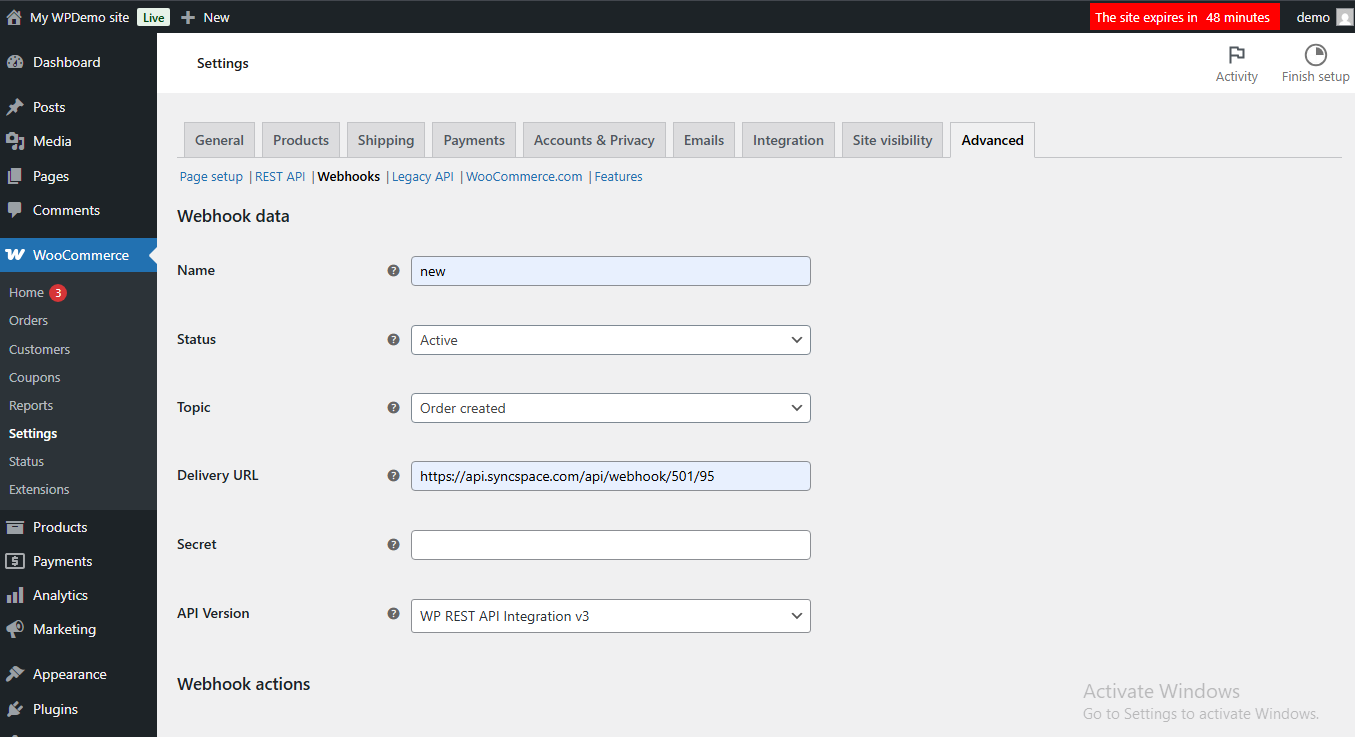
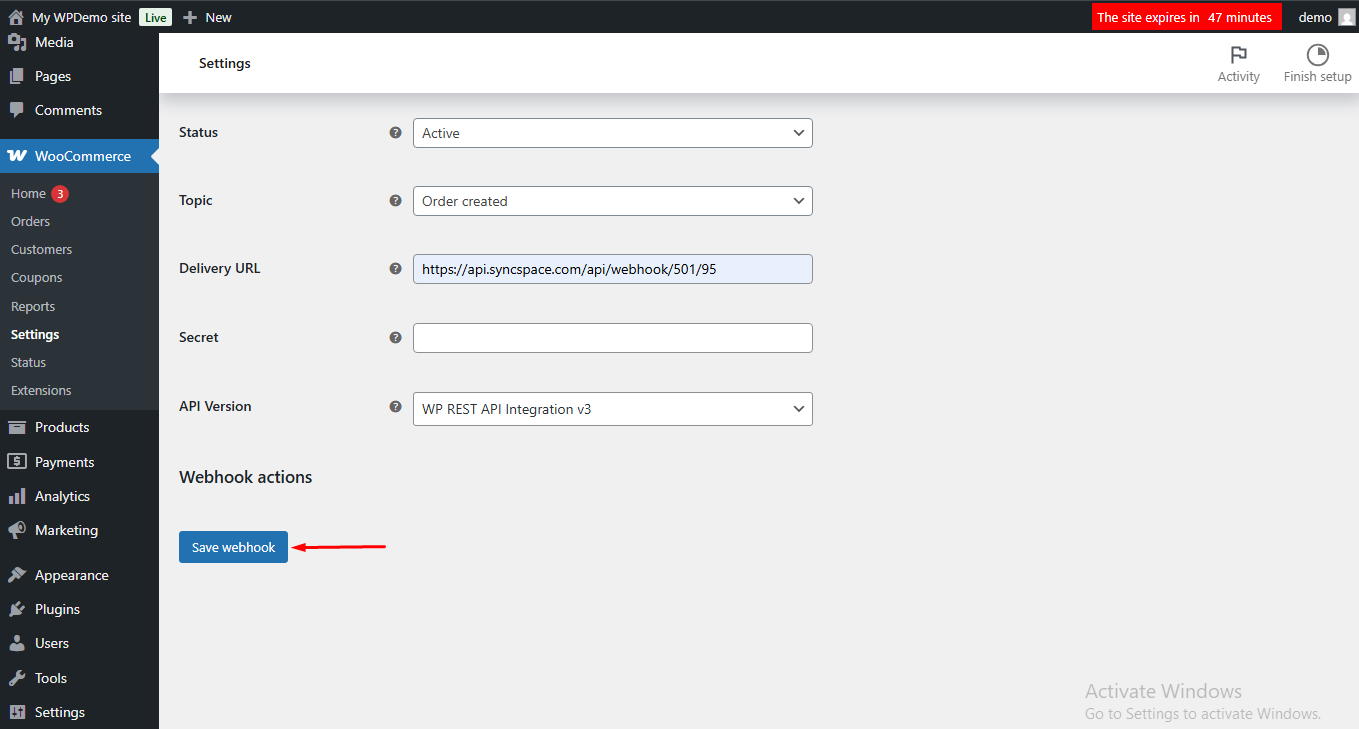
Step 7 Click Save, Your webhook is now successfully created.
Open your WordPress Dashboard Make sure your WooCommerce plugin is installed and activated.
Click Settings to open all configuration options.
Open the “Advanced” tab You’ll find it on the top tabs inside WooCommerce Settings.
Click on “Webhooks” from the bottom left-side menu
Click on “Create Webhook” button.
Fill all required details like enter the Webhook Name, select the Topic, and paste your Webhook Delivery URL.
Click Save, Your webhook is now successfully created.