Explore apps
Login
Explore apps
Explore apps
Log in
Steps to Verify a Webhook in Razorpay
Step 1
Log in or Sign in to your Razorpay Dashboard.

Step 2
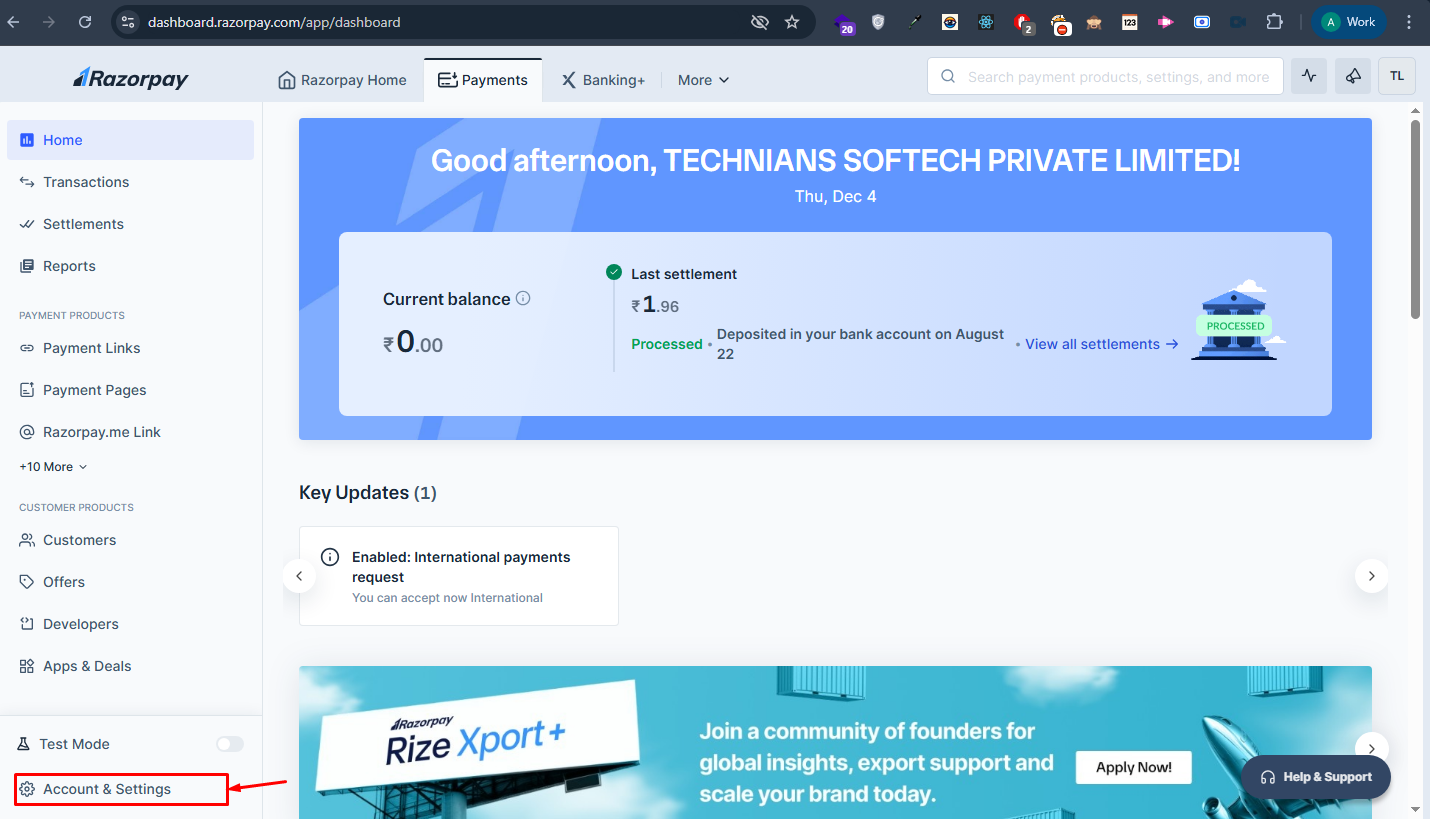
From the left sidebar, go to Account Settings.
Step 3
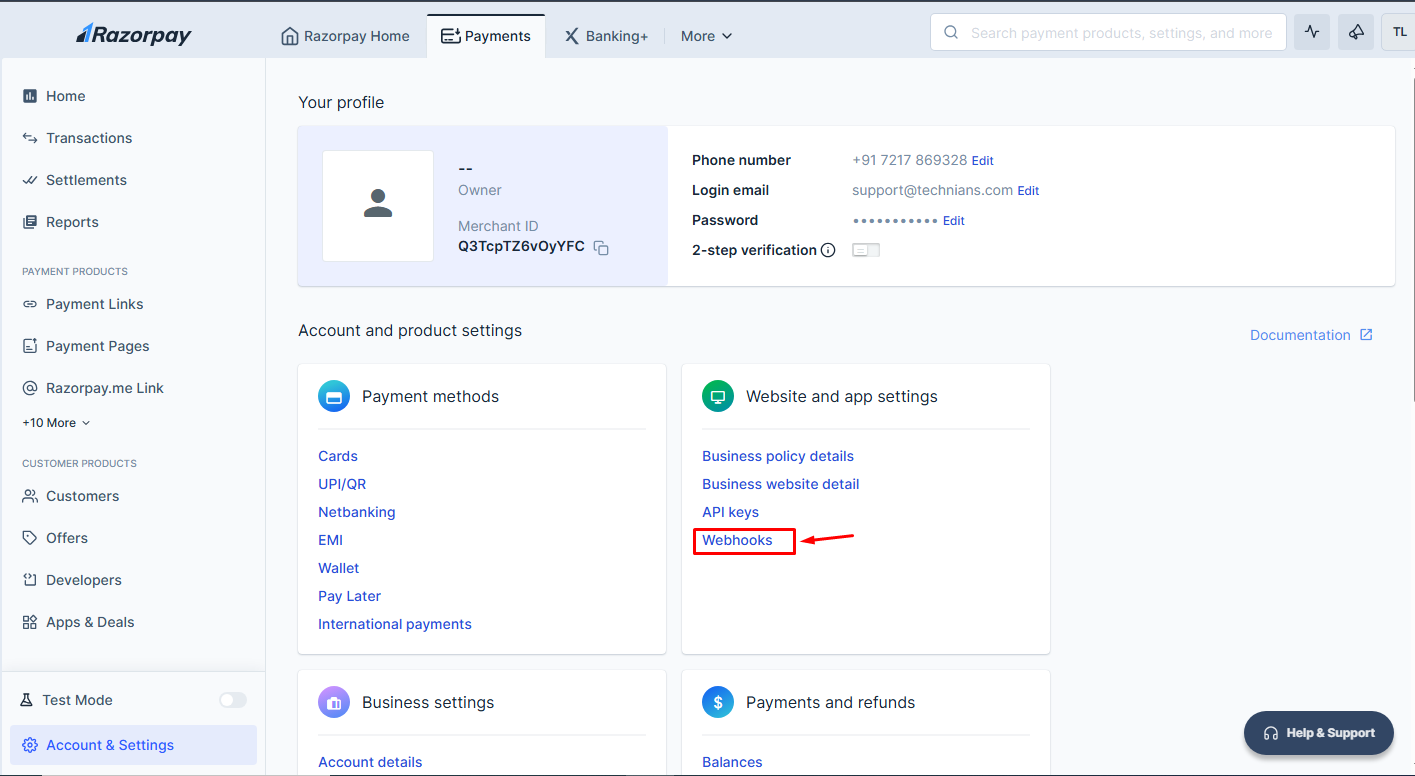
Under the Website & App Settings section, click on Webhooks.
Step 4
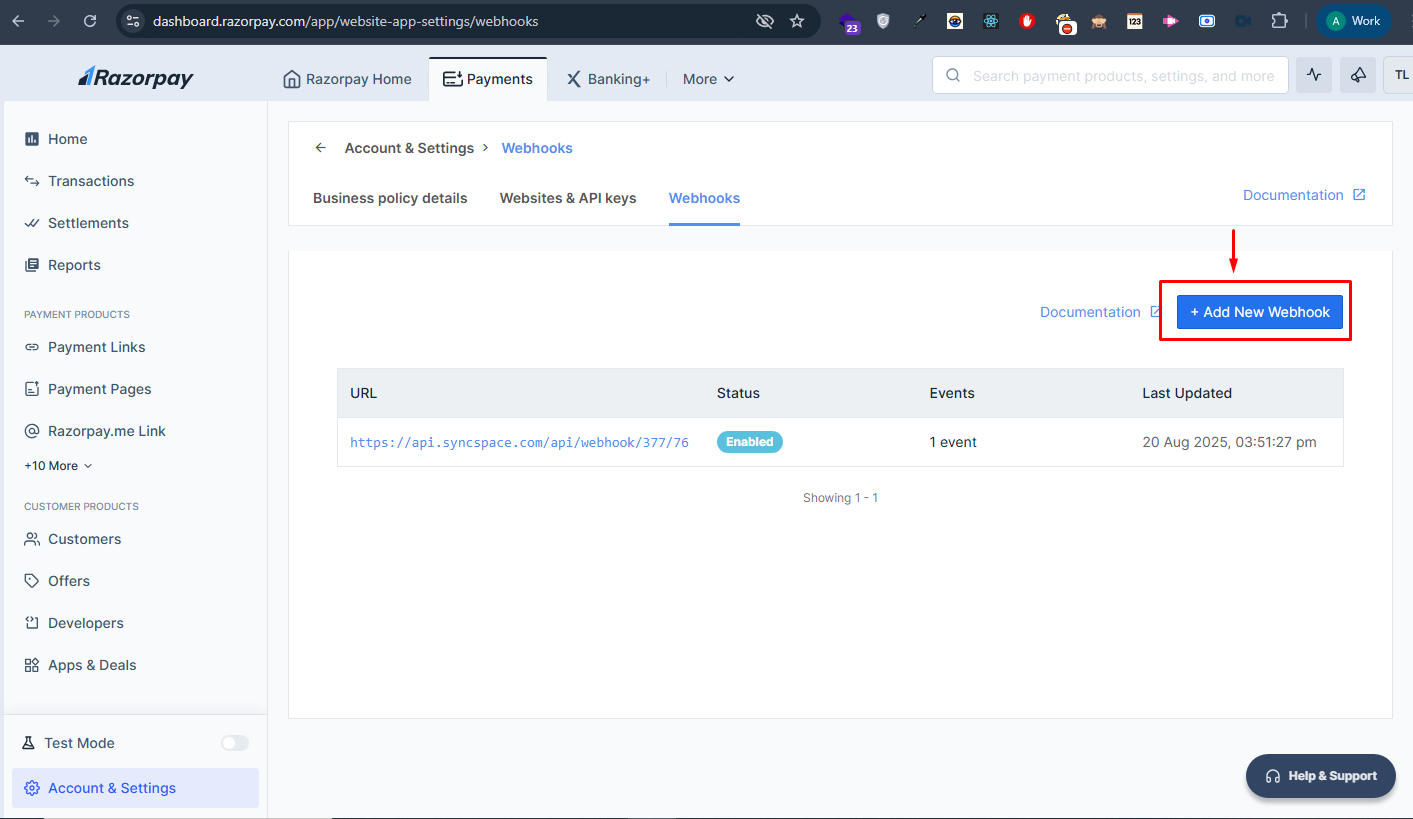
Click on the Add Webhook button.
Step 5
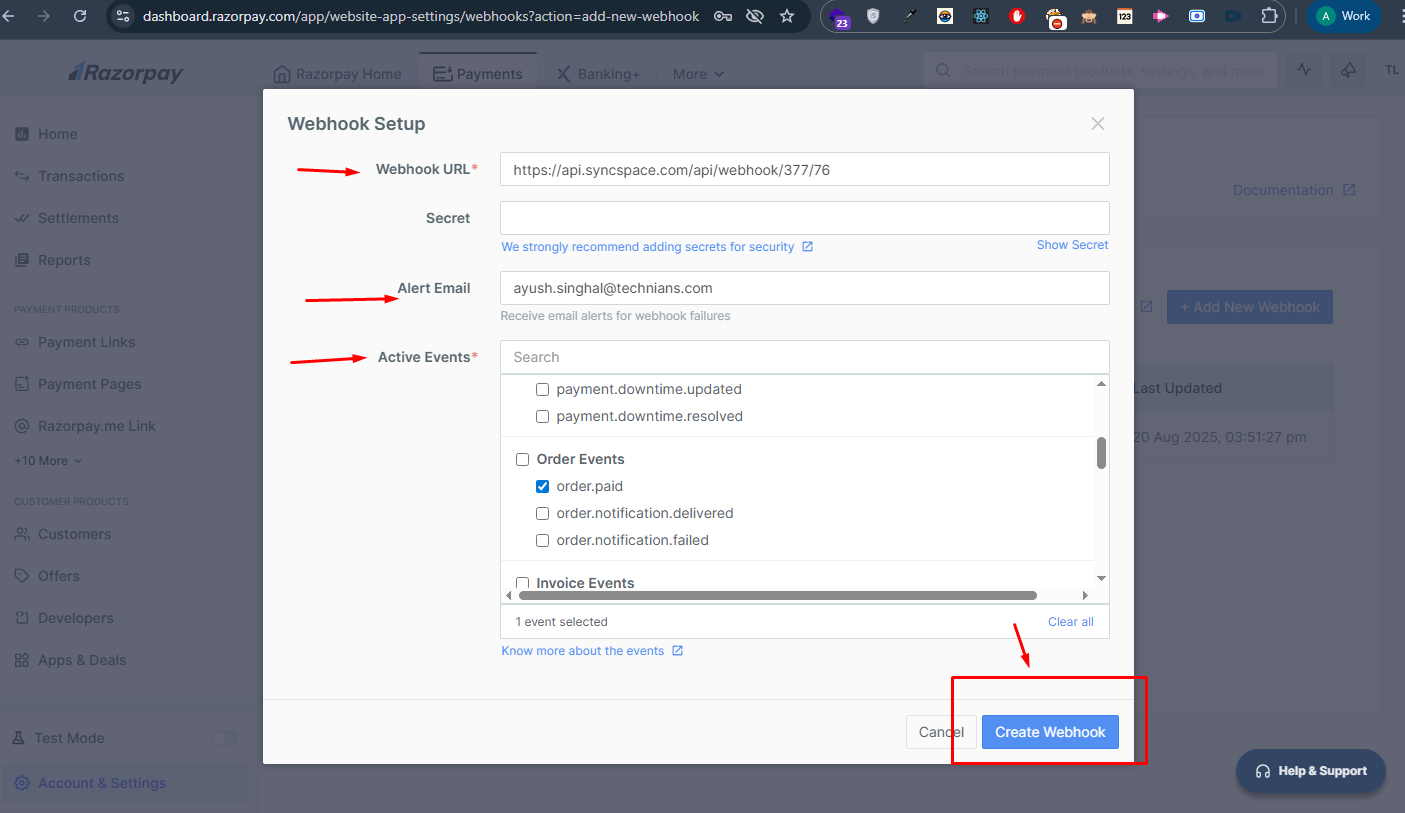
Paste your Webhook URL, enter your email ID, select the events you want to receive, and click Create Webhook.
Your webhook has now been added successfully.
Log in or Sign in to your Razorpay Dashboard.
From the left sidebar, go to Account Settings.
Under the Website & App Settings section, click on Webhooks.
Click on the Add Webhook button.
Paste your Webhook URL, enter your email ID, select the events you want to receive, and click Create Webhook.
Your Integration Is Missing? Not for Long.
Tell us what you need — SyncSpace will sync it for you.
Email
(Required)
*
No credit card Required