Explore apps
Login
Explore apps
Explore apps
Log in
Steps to Verify a Webhook in Contact Form 7
Step 1
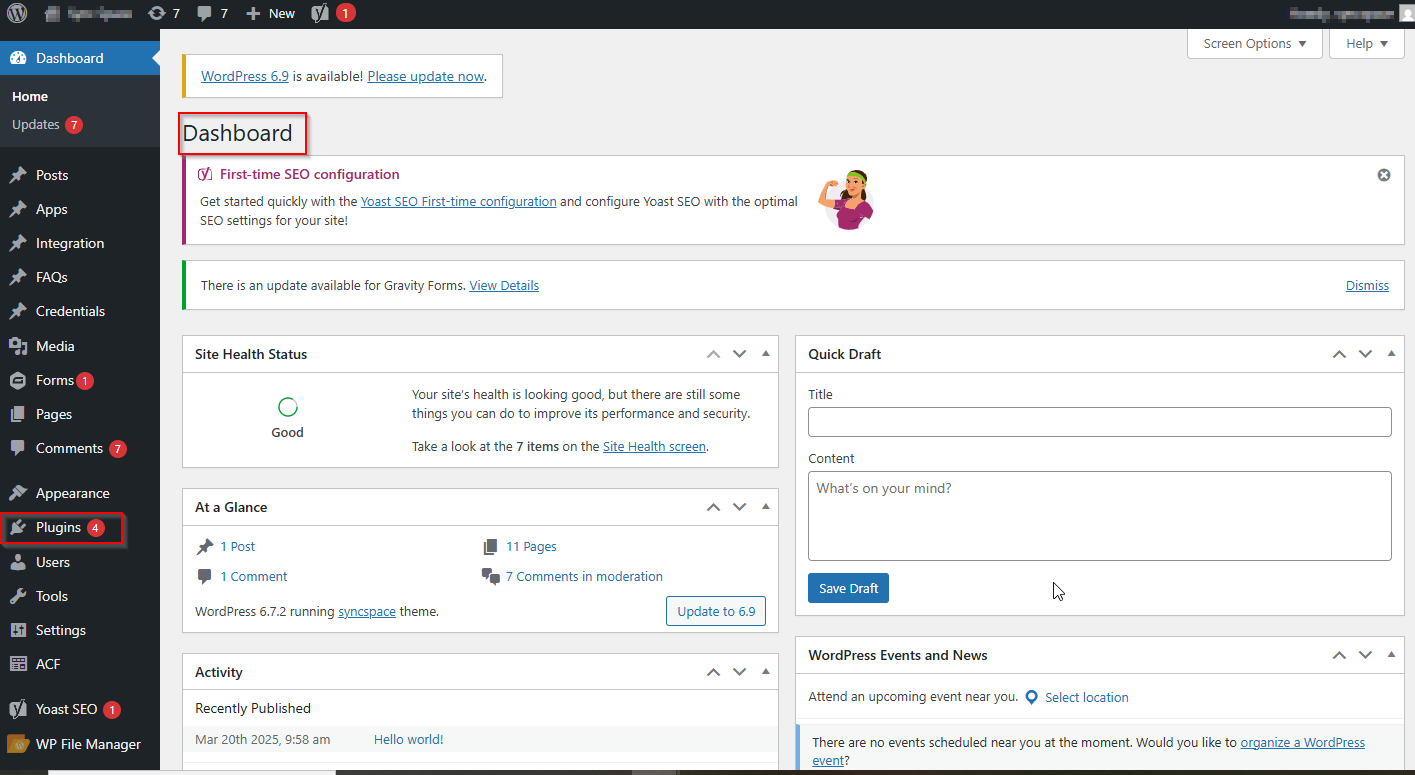
Go to the WordPress dashboard of your website.
Step 2
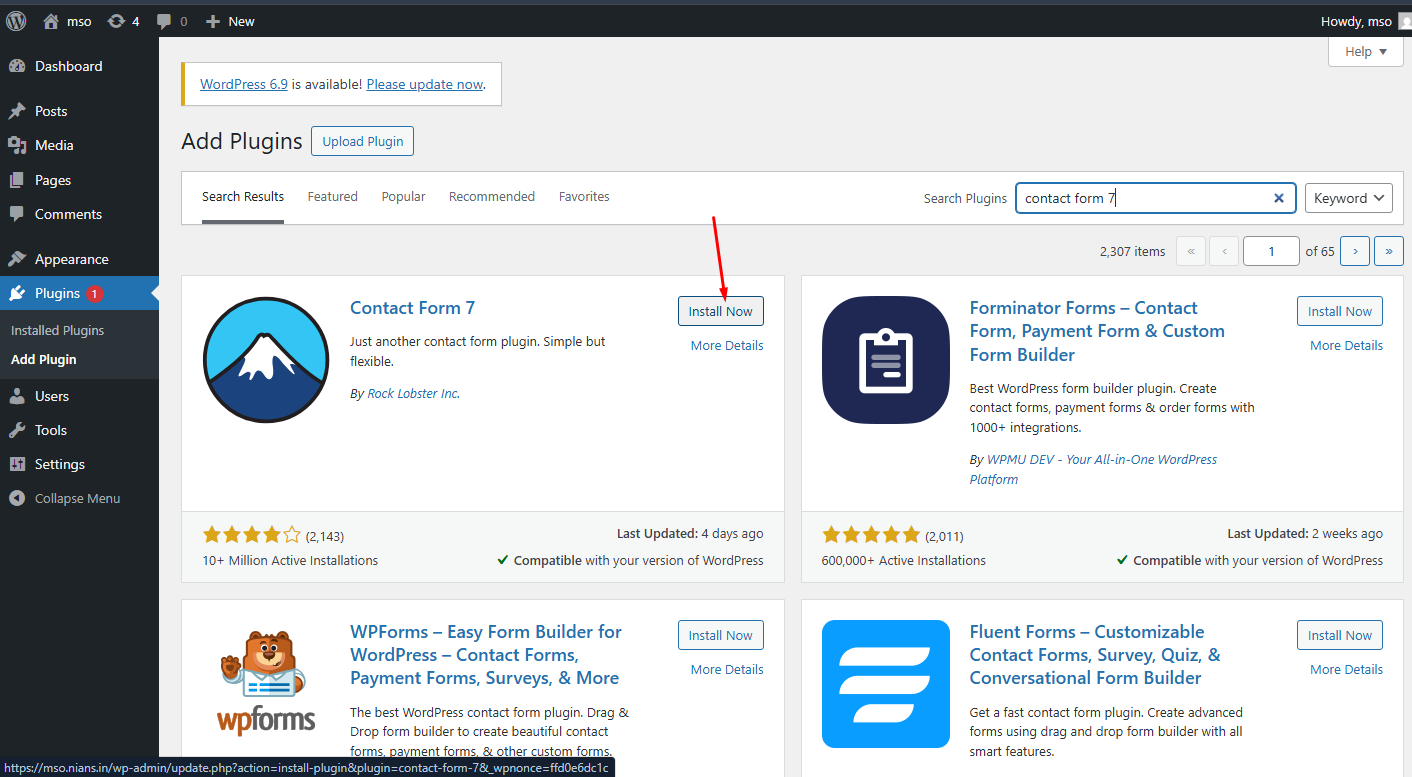
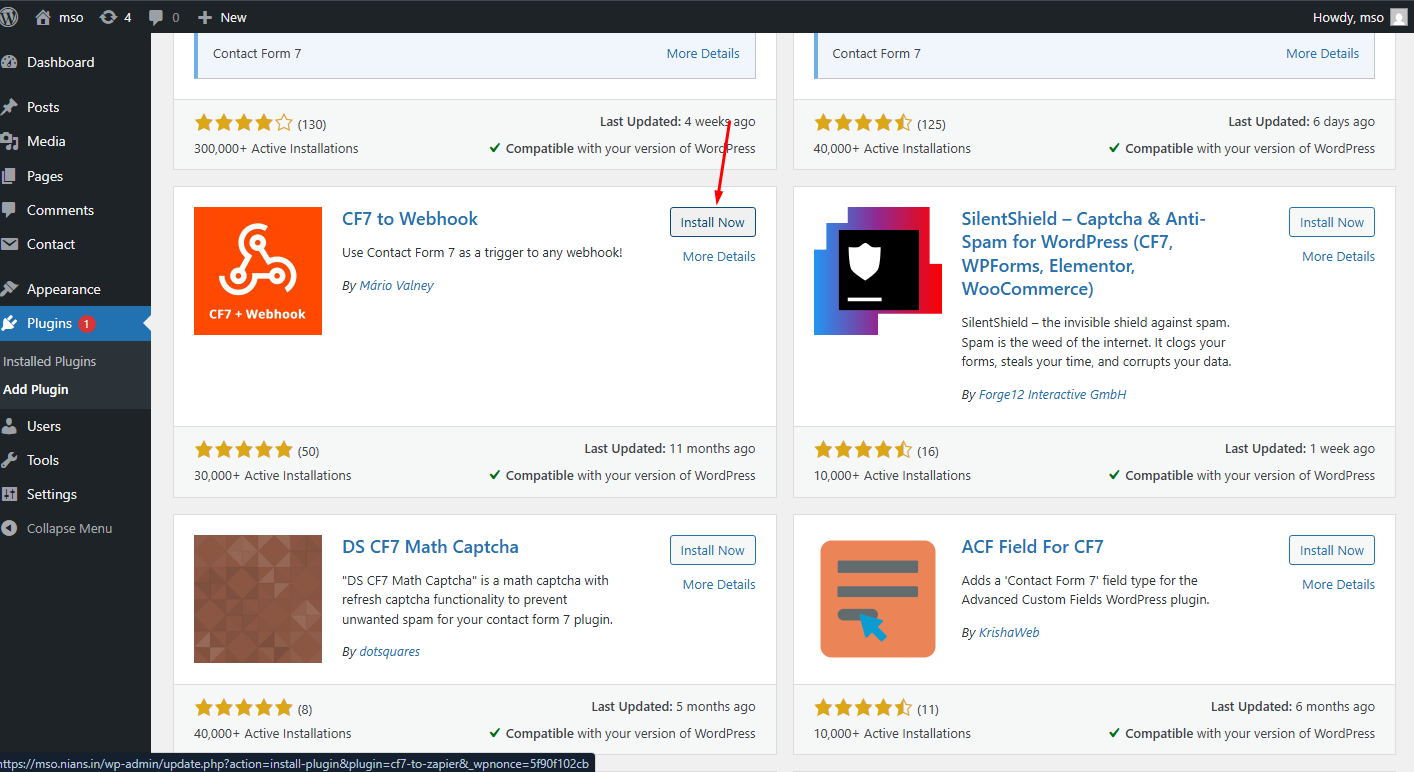
Install and activate the Contact Form 7 and CF7 to Webhook plugins.
Step 3
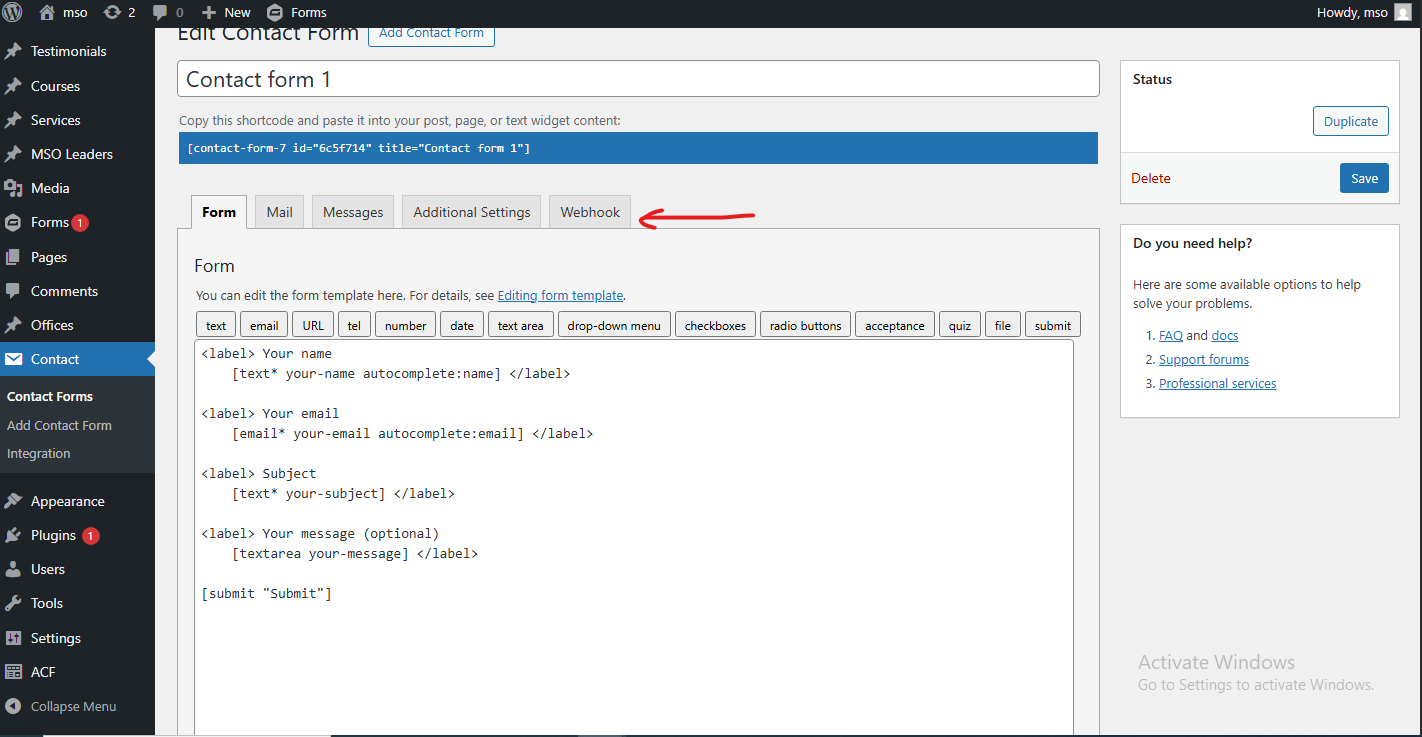
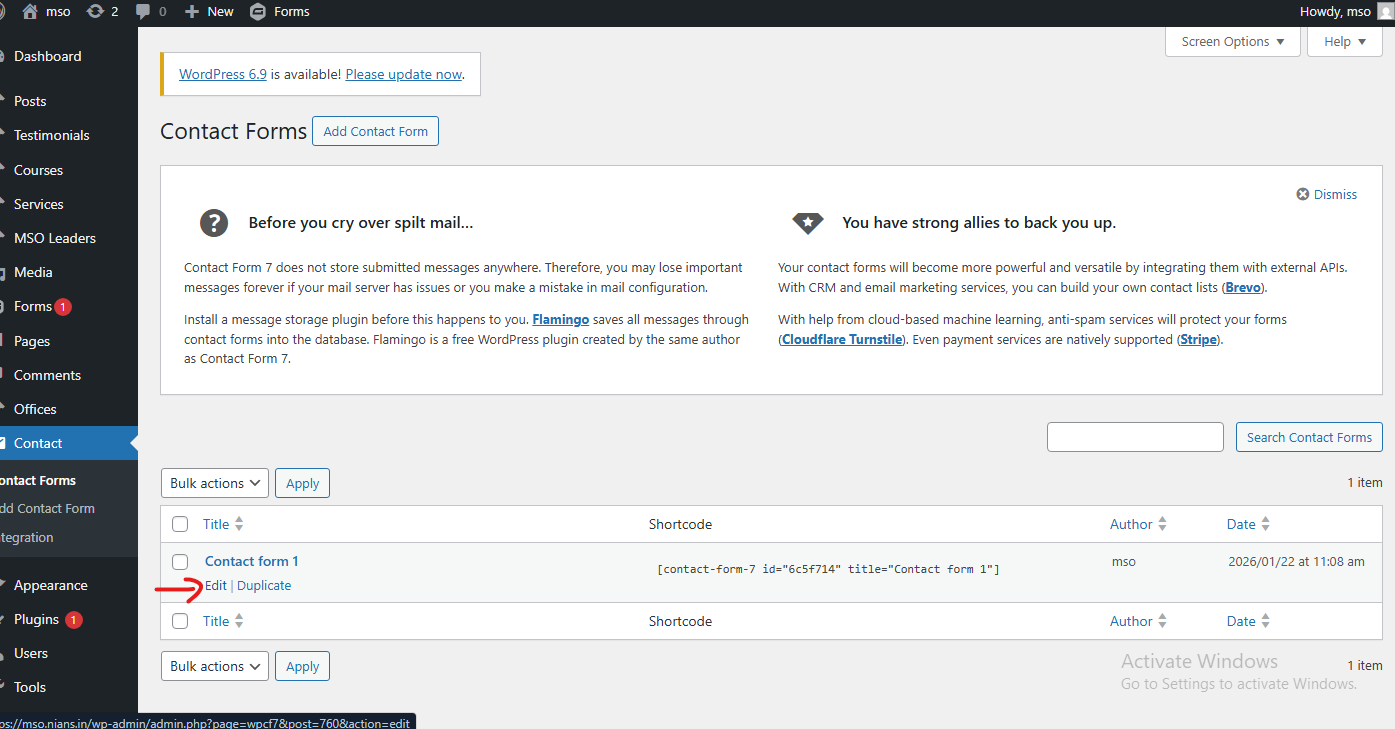
Open the Contact Form you have already created.
Step 4
Click on the Webhook tab.
Step 5
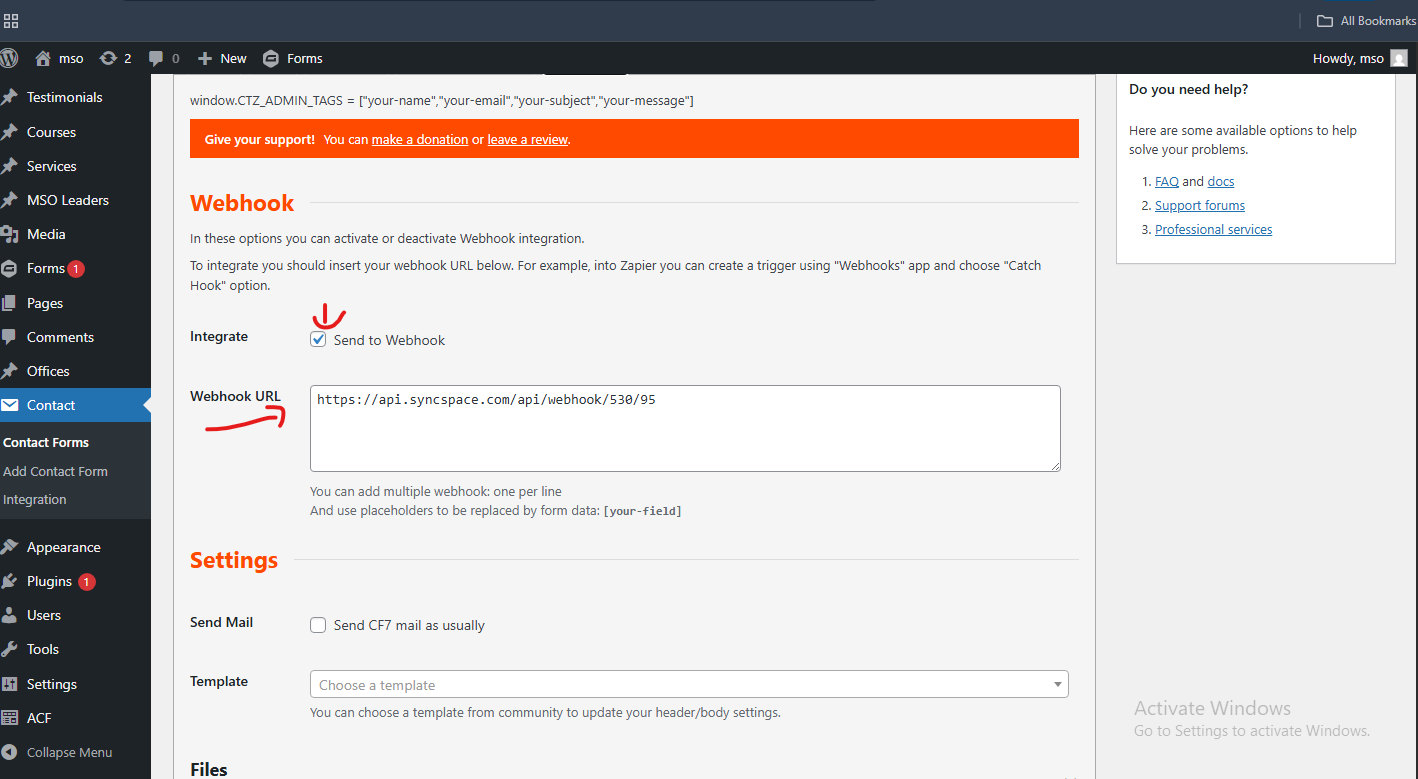
Paste your Webhook URL and enable Send to Webhook.
Finally, click Save to apply the changes.
Go to the WordPress dashboard of your website.
Install and activate the Contact Form 7 and CF7 to Webhook plugins.
Open the Contact Form you have already created.
Click on the Webhook tab.
Paste your Webhook URL and enable Send to Webhook.
Your Integration Is Missing? Not for Long.
Tell us what you need — SyncSpace will sync it for you.
Email
(Required)
*
No credit card Required